Mac Compatibility: This plugin is not currently compatible with Mac OS.
Plugin Updates: All updates for the first year are free.
The plugin license is perpetual.
After the first year, if you need updates or support, you’ll need to purchase a renewal.
""I was interested in point clouds generated by BIM models applied in the construction industry. Using ProtoTech's plugin, we were able to efficiently convert Revit BIM models into OBJ format files, which were then used to generate point clouds through CloudCompare or Python programming. Acquiring and annotating real point clouds was extremely expensive. This conversion method effectively addressed the shortage of training samples for deep learning on point clouds. The plugin's seamless integration and reliable performance made it an indispensable tool for our projects. Additionally, the customer service provided by ProtoTech Solutions was outstanding—always prompt in addressing our queries and ensuring we maximized the plugin's capabilities. I highly recommended this plugin to anyone working with BIM models and point clouds."
Sheik Uduman
"This product is work as mentioned, I use this product to export Revit model to PowerPoint as PowerPoint recently supporting model."
Martin Port
"We use this plugin to export from Revit to PV-Sol to simulate PV installations. Works without external software."
Luca Moscon
"I use it to work in Blender because I needed my model to be exported in the obj file and since now everything Is working great, so easy to understand and great program."
Sebastian Rosales
Individual Architect
"My name is Sebastian Rosales from Cuenca, Ecuador. I’m an Architect and I use the software Revit Autodesk for making architectural drawings. As a free time activity a like to design 3d models to produce decoration objects and afterwards 3d print them. As my favorite tool for modeling is Revit I searched for a software that could export my 3d models to a format which my 3d printer was able to read and I found about the OBJ exporter from ProtoTech Solutions. I acquired the product and I have been using their software since then, it has worked just perfectly fine covering all my speciation’s and if there is any concern the technical team is ready to give all the support as fast and optimal as they can. I recommend their product a 100%."
Huang hs
"This plugin export OBJ with good compatibility. Unlike other plugins, BIM model's material information exported by your product will not be lost, vertices have RGB attribute information. That's why I choose your product."
Huanghongsheng
Shenzhen University
"ProtoTech's OBJ Exporter for Revit compatibility is exceptional to other plugins out there in the market. Bin material information will not be lost, and the vertices have RGB attribute information. I rate this plugin a 5 out of 5. "
Lasse Justesen
Engineer, Buildings indoor environment and energy
"It fantastic!! ProtoTech's OBJ Exporter For Revit was unbelievably helpful in getting the selected OBJ models .I found it very easy to use, and quick too. I can recommend it. It also helps in exporting of textures. Thank you very much for your support."
Tommy Kiørboe-Cao
Building designer, KplusC Arkitektur & Design
"Prototech Solutions offers a high-quality product called 'OBJ Exporter for Revit,' which we use in all of our products. Their customer service is fantastic, providing timely assistance. Outstanding customer service!"
Emile du Toit, Student
Tshwane University of Technology
"ProtoTech's OBJ Exporter For Revit offers powerful set of features(export textures, adjustable mesh quality). It went well, with no problems at my end. It is really straightforward to install and use!"
Sebastian Rosales
Architect from Ecuador
"I use Revit for making architectural drawings, decoration objects. ProtoTech's OBJ Exporter for Revit successfully exported my 3d models to a format which my 3d printer was able to read. It works just perfectly fine and if there is any concern, the technical team is ready to give all the support as fast and optimal as they can. I recommend their product a 100%."
What Our Customers Are Saying About Us
Get FREE Product Demo
Frequently Asked Questions
Can Revit export to Wavefront OBJ using ProtoTech’s plugin?
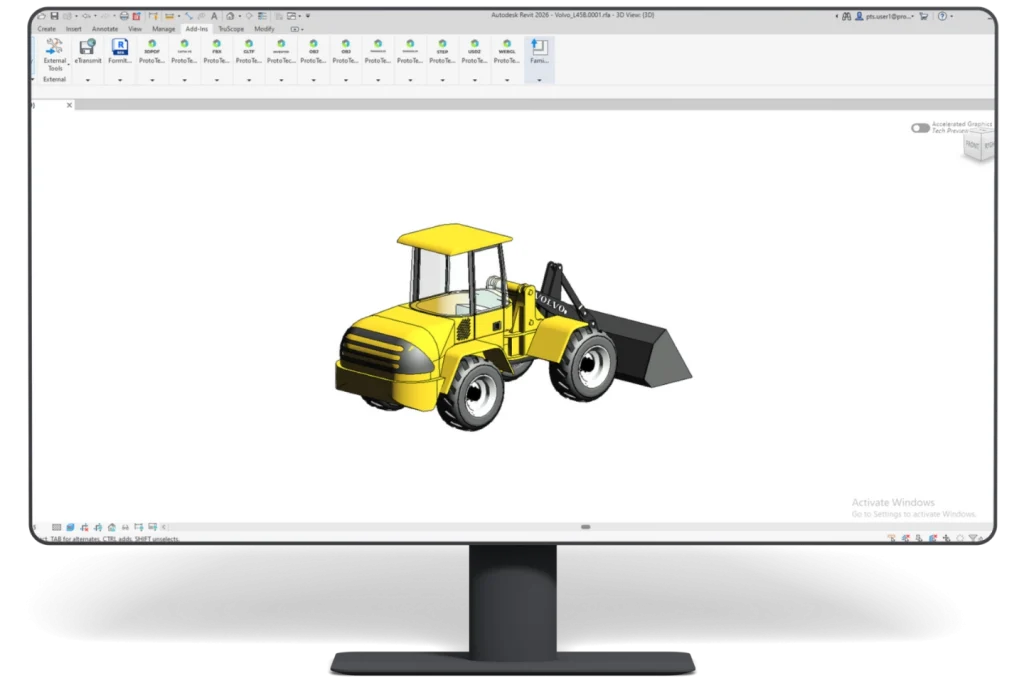
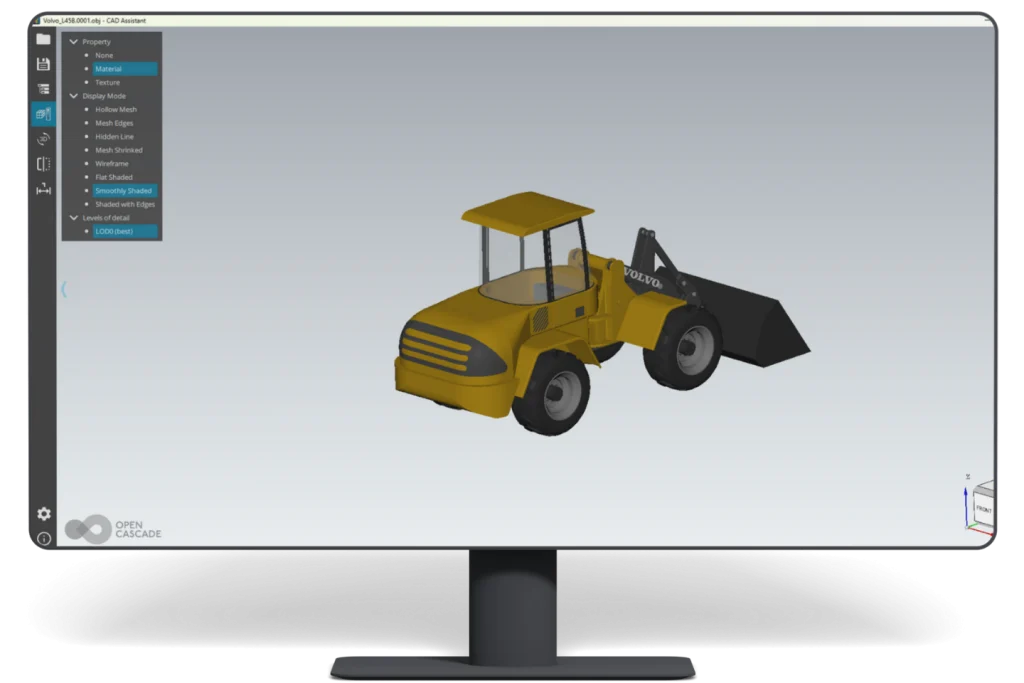
Yes. The plugin adds a direct export workflow inside Autodesk Revit and creates an OBJ model, with related material and texture files when applicable.
What Revit file types does ProtoTech’s OBJ Exporter support?
ProtoTech’s OBJ Exporter supports Revit project (.RVT), family (.RFA), and template (.RTE) files, converting their 3D model geometry into OBJ format.
Does OBJ Exporter for Revit preserve Revit geometry accurately?
The plugin is designed to translate Revit geometry accurately. Final results can vary with model complexity, unsupported Revit entities, and the receiving application.
Does OBJ Exporter for Revit export model colors?
Yes. The exporter supports color information in the exported geometry.
Does OBJ Exporter for Revit preserve materials?
Yes. It is designed to preserve material information for compatible OBJ workflows.
Does OBJ Exporter for Revit export textures?
Yes. Texture export is supported, and a separate texture folder may be created.
Can OBJ Exporter for Revit export hidden or selected Revit elements?
Use Revit visibility and exporter options to include the model content needed for the OBJ workflow.
Can I control export quality and file size in OBJ Exporter for Revit?
Yes. Adjustable mesh quality, scaling, rotation, and optimization settings help control accuracy and file size.
Can the exported file be opened without Autodesk Revit?
Yes. The exported file can be opened in OBJ-compatible tools such as Blender, 3ds Max, Maya, CloudCompare, and many 3D viewers, so recipients do not need Revit to use the converted model.
Which Autodesk Revit versions support the OBJ Exporter?
ProtoTech’s OBJ Exporter is updated for the latest supported Autodesk Revit versions (2024–2027).
Which operating systems are supported by ProtoTech’s OBJ Exporter for Autodesk Revit?
The plugin is designed for supported Autodesk Revit installations on Windows 10 and Windows 11.
Is there a free trial of OBJ Exporter for Revit?
Yes. The trial version is activated automatically after installation and includes 30 exports for 15 days. Does not require a license key for trial use.
Cookie Consent
We use cookies to improve your experience on our site. By using our site, you consent to cookies.
Contains information related to marketing campaigns of the user. These are shared with Google AdWords / Google Ads when the Google Ads and Google Analytics accounts are linked together.
90 days
__utma
ID used to identify users and sessions
2 years after last activity
__utmt
Used to monitor number of Google Analytics server requests
10 minutes
__utmb
Used to distinguish new sessions and visits. This cookie is set when the GA.js javascript library is loaded and there is no existing __utmb cookie. The cookie is updated every time data is sent to the Google Analytics server.
30 minutes after last activity
__utmc
Used only with old Urchin versions of Google Analytics and not with GA.js. Was used to distinguish between new sessions and visits at the end of a session.
End of session (browser)
__utmz
Contains information about the traffic source or campaign that directed user to the website. The cookie is set when the GA.js javascript is loaded and updated when data is sent to the Google Anaytics server
6 months after last activity
__utmv
Contains custom information set by the web developer via the _setCustomVar method in Google Analytics. This cookie is updated every time new data is sent to the Google Analytics server.
2 years after last activity
__utmx
Used to determine whether a user is included in an A / B or Multivariate test.
18 months
_ga
ID used to identify users
2 years
_gali
Used by Google Analytics to determine which links on a page are being clicked
30 seconds
_ga_
ID used to identify users
2 years
_gid
ID used to identify users for 24 hours after last activity
24 hours
_gat
Used to monitor number of Google Analytics server requests when using Google Tag Manager
1 minute
You can find more information in our Cookie Policy .









 Autodesk App Store
