Mac Compatibility: This plugin is not currently compatible with Mac OS.
Plugin Updates: All updates for the first year are free.
The plugin license is perpetual.
After the first year, if you need updates or support, you’ll need to purchase a renewal.
"We are very happy with the product and the overall experience. The solution has been reliable, easy to use, and has helped improve our workflows. The support team has also been responsive and helpful whenever required."
Brad Kanther
"Incredibly affordable and useful app. I have been using it for 4 or 5 months now, awesome for complex details that need a little bit of visualisatiom. Looking forward to texture support potentially in the future.. "
Narayan Sahu
Network Engineer, Al Shirawi
"Excellect Product & Econimical !!
Save much time & generates 3d view quickly. Technical Support responds as quickly as possible."
Alex Santos
"The 3D PDF Exporter for AutoCAD® is very nice and useful. if you want practicality for your prints in 3D PDF, that´s is the ideal tool"
Jacobus Vermeulen
Electrical Projects Engineer, GBCWINSTONE
"3D PDF is easy to use and operate. A single button click allows me to generate a 3D PDF that's easy to navigate and use as a communication tool. The service of the supplier, ProtoTech Solutions, is also phenomenal, as I had problems registering the license and getting past my company's firewall. They kept on helping me and following up. I'm very impressed with the "good value for money" product and the supply company."
Alex Santos
"Very practical and easy to use. the result is great, in my auto cad plant 3D 2021 worked perfectly"
Narayan Sah
Al Shirawi Equipment Co LLC, U.A.E.
"""Excellent Product & Economical !!
Save much time & generates 3d view quickly. Technical Support responds as quickly as possible."""
Tim Bridges
North Mississippi Conveyor Company, Inc
"ProtoTech Solution's 3D PDF Exporter for AutoCAD is a fantastic product. It produces 3D PDF's seamlessly in AutoCAD as well as several other programs. Customer service and support is very efficient and knowledgeable, I would recommend this product for anyone needing to produce high quality 3D PDF's for use in presentations, manuals, etc."
Tyson Prier
WANSecurity Wireless, U.S.A
"I am happy to say that 3D PDF Exporter For AutoCAD worked brilliantly. So far my opinion of it is that it’s a fantastic product and makes a great addition to the CAD family of products."
Jacobus Vermeulen
GBCWINSTONE (New Zealand)
"ProtoTech's 3D PDF exporter for AutoCAD is easy to use and operate. A single button click allows me to generate a 3D PDF that's easy to navigate and use as a communication tool. The service of the supplier, Protech Solutions, is also phenomenal, as I had problems registering the license and getting past my company's firewall. They kept on helping me and following up. I'm very impressed with the ""good value for money"" product and the supply company."
Michael Addotta
US
"It worked !!! ProtoTech's 3DPDF exporter for AutoCAD is a fantastic addon. There are different quality and precision settings available while others have default settings. It also helps in exported selected entities. Thank you very much for your support. Very much appreciated"
Handaka (Zhu) Setyadi
Owner, Handal TechnoCraft
"ProtoTech Solutions has been a great source of help and support, offering a helping hand and a caring heart to assist their customers in overcoming any challenges. I've been using their 3D PDF Exporter for AutoCAD for over a year and have found it to be a very satisfying tool. What sets ProtoTech Solutions apart is their prompt and responsive customer service. It's truly a testament to their commitment to excellence."
Paul L. James
Design Source International
"I have worked in the field of Industrial and Architectural Design for 40 years, and have witnessed numerous 3d viewering applications come and go. The most encouraging was the export to interactive .pdf 3d formats allowing anyone with an Acrobat Viewer or .pdf viewer to interact with the design intent in an immersive way Support of these programs was often not good, and the cost was also prohibitive, but the people at ProtoTech Solutions have made this an attractive package as to price point, and their on going support has made it an integrated and highly functional part of our design process and for development to RPD output."
Boštjan Zdolšek
Design Engineer, ESOT - Invest d.o.o.
"The software works great, even better than I hoped for. It converts 3D objects from AutoCAD Plant3D to 3D PDF files, flawlessly, and quickly. The PDF is very accurate and rotates perfectly in Adobe Reader. It shows every detail, no matter how small. VERY GOOD and EASY-TO-USE software. Support from PROTOTECH is great. They respond very quickly and no matter what problem you have they solve it fast. From 0 to 10 I would give it 12."
Naoto Fujimoto
Japan
"Thank you so much for Great add in for AutoCAD. ProtoTech's 3D PDF Exporter just works awesome!"
What Our Customers Are Saying About Us
Get FREE Product Trial
Frequently Asked Questions
What is ProtoTech’s SKP Importer for Autodesk Maya?
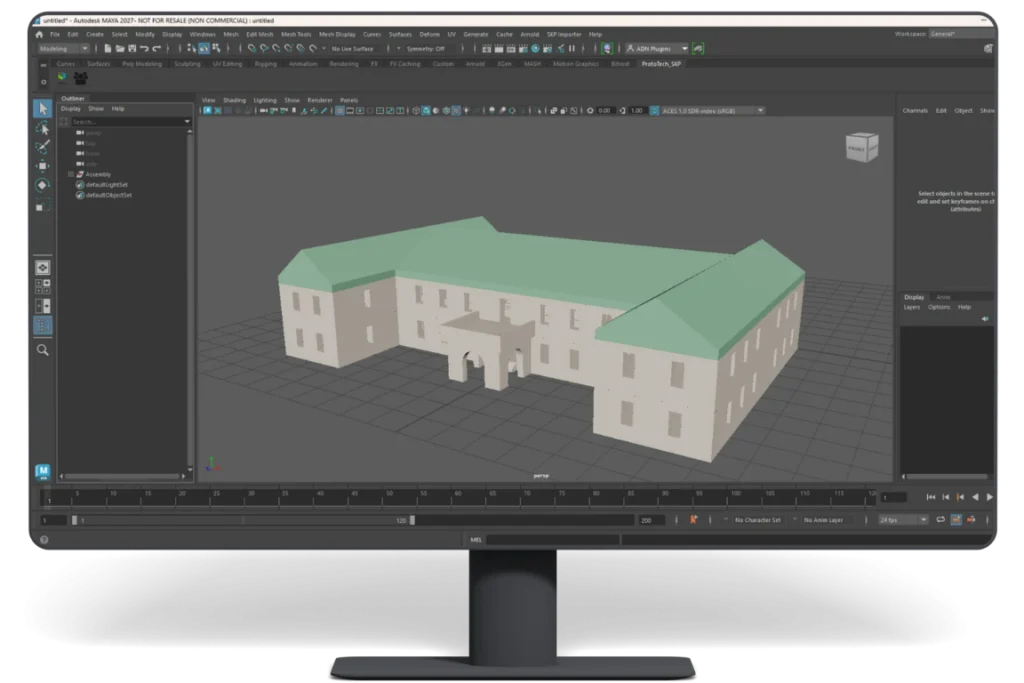
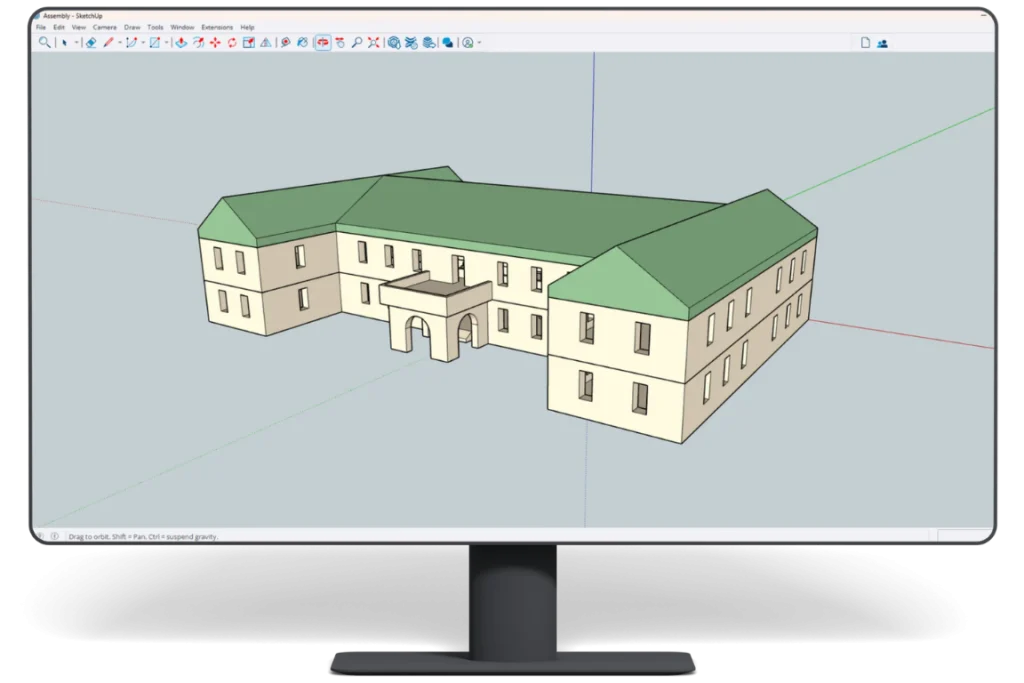
It’s a powerful Maya plugin that lets you import SketchUp (SKP) files directly into Autodesk Maya, helping you move from design to visualization faster.
Does SKP Importer preserve textures?
Yes. It imports textures from SKP files and applies them to corresponding Maya materials, helping maintain the model’s original appearance.
Does it import SketchUp colors into Maya?
Yes. Colors assigned to SketchUp faces and materials are imported into Maya, reducing manual material setup.
Does SKP Importer support transparency?
Yes. The plugin preserves transparency information from SketchUp materials and textures during import.
Can it handle large and complex SKP files?
Yes. SKP Importer is designed to efficiently handle large and complex SketchUp models, making it suitable for detailed professional projects.
Which operating systems are supported?
ProtoTech’s SKP Importer for Autodesk Maya is compatible with Windows 10 and Windows 11.
Which Autodesk Maya versions are supported?
The plugin supports Autodesk Maya 2024, 2025, 2026, and 2027.
Is there a free trial available?
Yes. The trial activates automatically after installation and includes 30 imports for 15 days. No license key is required for trial use.
Do I need SketchUp installed to import SKP files?
No. You can import supported SKP files directly into Maya using the plugin, without needing SketchUp as an intermediate conversion step.
Why choose ProtoTech’s SKP Importer for Autodesk Maya?
If SKP files are part of your Maya workflow, the plugin gives you a faster, simpler, and more reliable way to bring SketchUp models into Maya—with textures, colors, and transparency preserved.
Cookie Consent
We use cookies to improve your experience on our site. By using our site, you consent to cookies.
Contains information related to marketing campaigns of the user. These are shared with Google AdWords / Google Ads when the Google Ads and Google Analytics accounts are linked together.
90 days
__utma
ID used to identify users and sessions
2 years after last activity
__utmt
Used to monitor number of Google Analytics server requests
10 minutes
__utmb
Used to distinguish new sessions and visits. This cookie is set when the GA.js javascript library is loaded and there is no existing __utmb cookie. The cookie is updated every time data is sent to the Google Analytics server.
30 minutes after last activity
__utmc
Used only with old Urchin versions of Google Analytics and not with GA.js. Was used to distinguish between new sessions and visits at the end of a session.
End of session (browser)
__utmz
Contains information about the traffic source or campaign that directed user to the website. The cookie is set when the GA.js javascript is loaded and updated when data is sent to the Google Anaytics server
6 months after last activity
__utmv
Contains custom information set by the web developer via the _setCustomVar method in Google Analytics. This cookie is updated every time new data is sent to the Google Analytics server.
2 years after last activity
__utmx
Used to determine whether a user is included in an A / B or Multivariate test.
18 months
_ga
ID used to identify users
2 years
_gali
Used by Google Analytics to determine which links on a page are being clicked
30 seconds
_ga_
ID used to identify users
2 years
_gid
ID used to identify users for 24 hours after last activity
24 hours
_gat
Used to monitor number of Google Analytics server requests when using Google Tag Manager
1 minute
You can find more information in our Cookie Policy .












 Autodesk App Store
