


Our Plugins are also Available on Autodesk Store
Having trouble with your CAD plugin?
$0
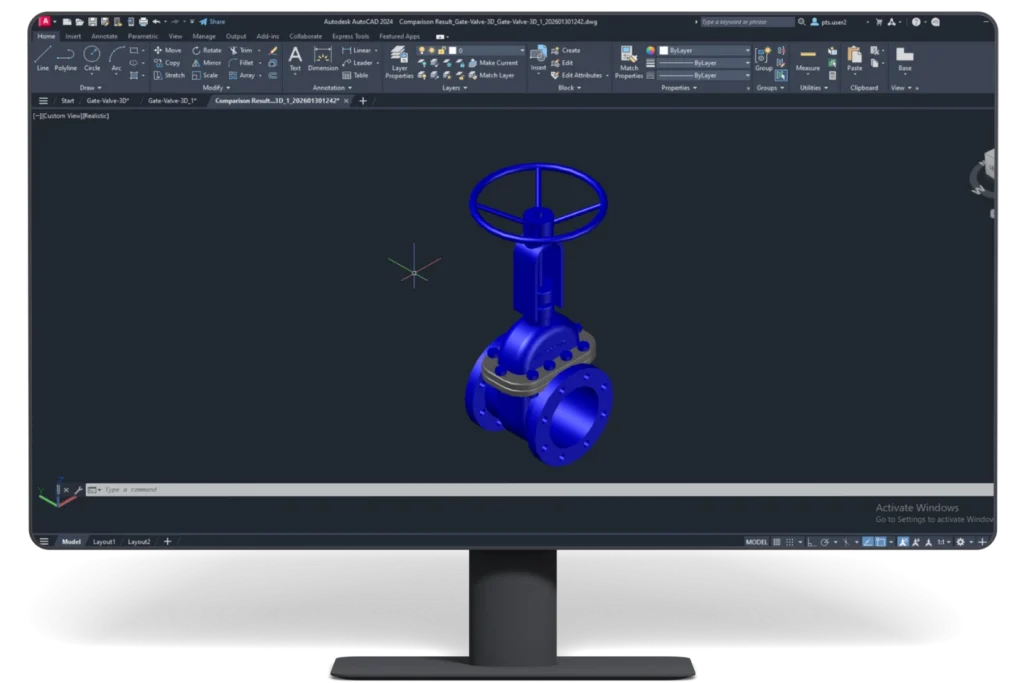
User can set color to modified, deleted and added entity.
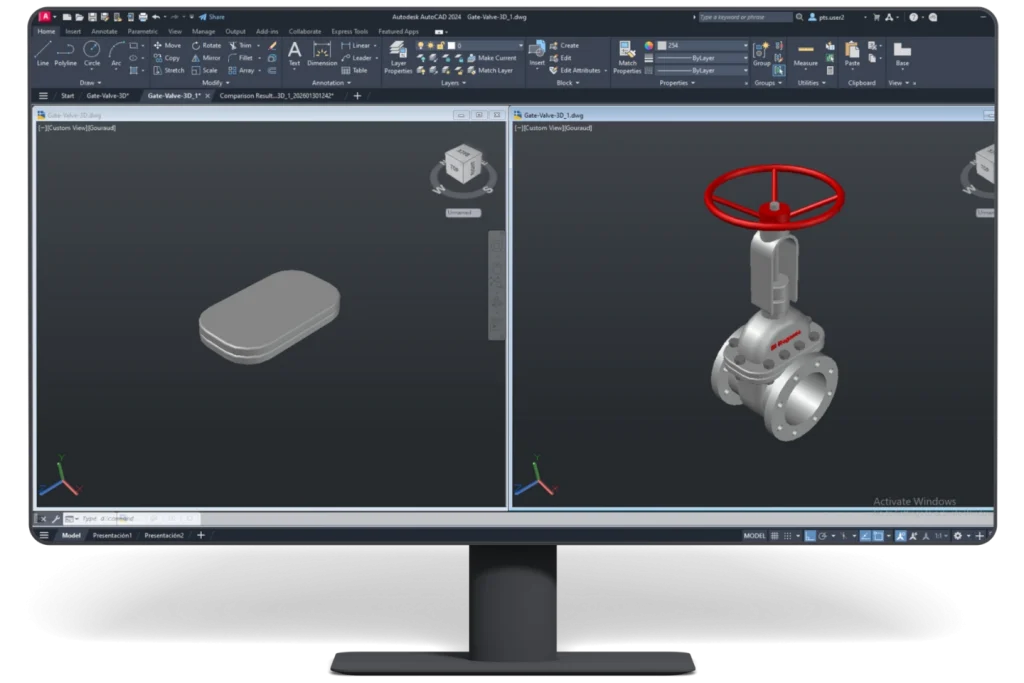
Allows user to select the input files and set output comparison file path.
Tolerance and precision control is available.
Optimized algorithm to improve comparison speed.
Enhancement:
Enhancement:
Enhancement:
Fixed:
Enhancement:
Enhancement:
Enhancement:
Enhancement:
Enhancement:
Please Note: Existing customers who have already activated the product will have to contact our support to request for a key for reactivation after installing this update.
Fixed:
Fixed:
Enhancement:
Fixed:



Yes. ProtoTech’s DWG/DXF Compare helps users compare two DWG files directly through an AutoCAD-based workflow.
Yes. The plugin supports comparison workflows for DXF drawing files as well as DWG files.
Differences are highlighted using colors for modified, deleted, newly added, and unchanged entities.
Yes. Users can set colors for modified, deleted, and added entities through the plugin preferences.
Yes. The plugin can highlight newly added entities in the comparison output using a defined color setting.
Yes. It is useful for engineering teams that need to compare drawing updates, revisions, and version changes.
Yes. The trial version is activated automatically after installation and includes 30 exports for 15 days. Does not require a license key for trial use.

We use cookies to improve your experience on our site. By using our site, you consent to cookies.
Manage your cookie preferences below:
Essential cookies enable basic functions and are necessary for the proper function of the website.
Google reCAPTCHA helps protect websites from spam and abuse by verifying user interactions through challenges.
Google Tag Manager simplifies the management of marketing tags on your website without code changes.
Statistics cookies collect information anonymously. This information helps us understand how visitors use our website.
Google Analytics is a powerful tool that tracks and analyzes website traffic for informed marketing decisions.
Service URL: policies.google.com (opens in a new window)
You can find more information in our Cookie Policy .
 Autodesk App Store