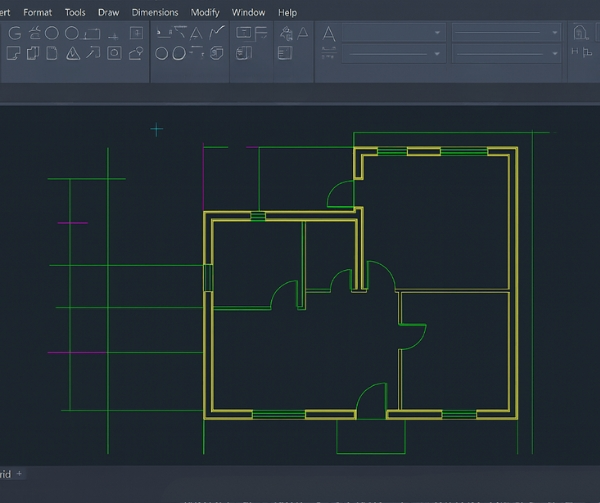
Revit Automation Services

Whether you need to generate Revit families, validate project models, automate drawing production, extract BIM data, update model parameters, or process Revit files through a web application, our developers can build a solution tailored to your workflow.

ProtoTech Solutions is an Autodesk Authorized Developer and Autodesk Platform Services Certified Partner.

revit automation services for architectural and mep design efficiency
Custom Revit automation services for BIM workflow optimization
Trusted by the Best

Clients we
work for

Edit Template

What Are Revit Design Automation Services?

Revit design automation is the use of software, scripts, APIs, rules, and configurable workflows to perform tasks that would otherwise require repetitive manual work inside Autodesk Revit.

A Revit automation solution can read and modify model elements, update parameters, create views and sheets, generate families, validate BIM standards, export files, produce reports, and connect Revit with external databases or business applications.

Examples of Revit Automation

  • Auto-generating floor plans, elevations, and sheets
  • Automatically placing families or updating parameters
  • Auto-dimensioning or tagging elements
  • Batch exporting to IFC/Excel/CSV
  • Cleaning, auditing, or validating models in one go
  • Generating schedules and BOQs without manual effort
  • Batch renaming views, sheets, or elements

Our Revit Automation Services

We develop custom Revit automation solutions using the Revit API, Dynamo, Autodesk Platform Services, cloud technologies, and enterprise-system integrations. Each solution is designed around the client’s existing BIM standards, model structures, data requirements, and project workflows.

1. Custom Revit Add-ins and Dynamo Workflows
  • Custom Revit add-in development
  • Revit API workflow automation
  • Dynamo graph development
  • Dynamo Player workflows
  • Custom Dynamo node development
  • Python scripting for Dynamo
  • Revit ribbon and UI development
  • Parameter and element updates
  • Room and space automation
  • Dynamo-to-add-in conversion
2. Model Validation, Parameters and BIM Data
  • Revit model validation tools
  • Required parameter checking
  • Missing data detection
  • Naming standard validation
  • Duplicate mark identification
  • Shared parameter management
  • BIM metadata mapping
  • Revit data extraction
  • Model health checks
  • Excel and database integration
3. Drawing, Documentation and Batch Processing
  • Automated view creation
  • Revit sheet generation
  • View placement automation
  • View template assignment
  • Automated tagging workflows
  • Rule-based dimension creation
  • Schedule and report generation
  • Batch parameter updates
  • PDF, DWG, and IFC export
  • Revit batch file processing
4. Revit Family and Product-Content Automation
  • Parametric Revit family creation
  • Automated family type generation
  • Type catalogue development
  • Shared parameter assignment
  • Product metadata integration
  • Material configuration
  • Visibility rule automation
  • MEP connector configuration
  • Family library validation
  • BIM product configurator development
5. APS, ACC and Enterprise-System Integration
  • Autodesk Platform Services integration
  • Autodesk Construction Cloud integration
  • Autodesk Docs file access
  • Cloud-based Revit processing
  • APS Automation API development
  • Model Derivative API integration
  • Web-based Revit model viewing
  • ERP and PIM integration
  • Database and REST API connectivity
  • BIM dashboards and web portals

We can combine Revit add-ins, the APS Automation API, Data Management API, Model Derivative API, Viewer SDK, cloud infrastructure, and enterprise applications to create an integrated BIM-processing workflow.

Collaboration

Have a Repetitive Revit Workflow?

Share your current process, sample RVT or RFA files, supported Revit versions, and expected output. Our team will assess what can be automated and recommend the right add-in, Dynamo, desktop, or cloud approach.

Work Samples of Revit Automation Solutions

At ProtoTech, we have delivered many automation solutions to our clients globally, with 20+ years of experience in CAD/CAM/CAE and AEC, and we have developed 100+ Import/Export plugins for CAD software, which help customers take design to the next level, save time and cost. Here are a few work samples of our Revit automation for various industries:

RDF Importer
  • Custom Revit plugin for automated interior wall generation from structured data.
  • Parametric wall family supporting dynamic dimension and alignment adjustments.
  • Safe family duplication system that preserves native properties and avoids conflicts.
  • Accurate conversion of parsed data into Revit-ready wall elements.
  • Versioning-enabled workflow for reliable field-data translation into Revit models.
Web-Based Revit File Viewer
  • Enabled seamless Revit upload, SVF translation, and 3D viewing via Autodesk Platform Services (APS).
  • Supported both APS-hosted and local SVF model loading.
  • Integrated AWS S3 connectivity for secure cloud-based model retrieval and viewing.
  • Delivered an intuitive UI for navigation, inspection, and model exploration (rotate, pan, zoom).
Revit to Web-Based 3D Configurator Integration
  • Connected Revit models to a web-based 3D configurator for real-time visualization.
  • Enabled instant design updates without reloading the viewer.
  • Delivered interactive 3D and design option exploration directly in the browser.
  • Exported Revit models to accurate, web-ready formats.
  • Built a scalable pipeline for handling large 3D and design files.
  • Added synchronized 2D floor plan overlays for clearer navigation.

Who Can Benefit from Revit Automation?

Our Revit design automation services support:

Architecture, structural, and MEP firms

Contractors and BIM consultants

Building-product manufacturers

Modular and prefabrication companies

Facility managers and property developers

Construction technology and digital twin providers

Engineering software companies

Autodesk Construction Cloud users

Client Feedbacks
Your Satisfaction is Our Top Priority

Ready to Automate Your
Revit Workflows?

We can help you transform manual Revit tasks into dependable desktop, web, and cloud-based automation solutions. Talk to our Revit automation experts and discover how your current workflow can be made faster, more consistent, and easier to scale.

Service Page Contact Us
Q. Can you build custom Revit plug-ins based on our company standards?

Yes, our expertise is in custom Revit add-ins that follow your company templates, naming rules, BIM standards, and model workflows. Every tool is tailored to your process; nothing is generic.

Q. How much time can Revit Automation really save?
Time savings depend on workflow complexity, model quality, and processing volume. During discovery, we assess the current manual effort and identify measurable automation opportunities.
Q. Do you support imports/exports between different CAD/BIM platforms?
Yes. As an Autodesk Authorized Developer, we have built dozens of import/export plug-ins for various CAD software. We help you convert and exchange data across formats like 3D PDF, DWG, IFC, STEP, OBJ, JT, JSON, GLTF, WebGL, and many more, without losing geometry or metadata.
Q. Can Revit automation process multiple files?

Yes. Batch-processing and cloud-based solutions can apply operations across multiple RVT, RFA, and related project files. The system can also record processing status, errors, warnings, and outputs.

Q. Can you integrate Revit with Autodesk Construction Cloud?

Yes. We can use Autodesk Platform Services to access project data, retrieve file versions, process models, upload outputs, extract metadata, and connect BIM workflows with web applications.

Q. Can you integrate Revit with our internal software or cloud system?

Yes, we build custom automation workflows that connect Revit with ERPs, PLMs, databases, cloud apps, or your in-house tools. This eliminates manual data entry and creates a smooth, end-to-end BIM pipeline.

Q. How long does it take to develop a custom Revit automation tool?
Development time depends on workflow complexity, supported Revit versions, integrations, user-interface requirements, and testing needs. After reviewing sample models and requirements, we provide a phased estimate.
Q. What information do you need from us to get started?

We typically ask for:

  • Your workflow or pain points
  • Desired output or automation goal
  • Sample models, templates, or data
  • Any existing standards or naming conventions

Once we understand your needs, we propose the best automation solution.

Q. Can I schedule a quick consultation before deciding?

Of course! Many of our new prospects start with a short discovery call. Share your workflow or challenge, and we will guide you on whether automation is the right fit and which solution delivers the best ROI.

Elevating Experiences

Browse Our Success Stories

AutoCAD Drawing Cleanup Automation for Faster, Cleaner CAD Workflows

Elevating ProtoTech’s CAD Plugins with Rigorous Testing