


Our Plugins are also Available on Autodesk Store
Having trouble with your CAD plugin?
$0
$199
Control to adjust mesh quality from preferences dialog.
Preserves model textures, materials, and colors during export.
Default compression helps to reduce the file.
Maintains precise 3D geometry from Navisworks without data loss.
Enhancement:
Enhancement:
Enhancement:
Enhancement:
Enhancement:
Enhancement:
Enhancement:
Fixed:
Fixed:
Enhancement:
Fixed:
Enhancement:
Enhancement:
Fixed:
Enhancement:
Enhancement:
Fixed:
Fixed:
Enhancement:




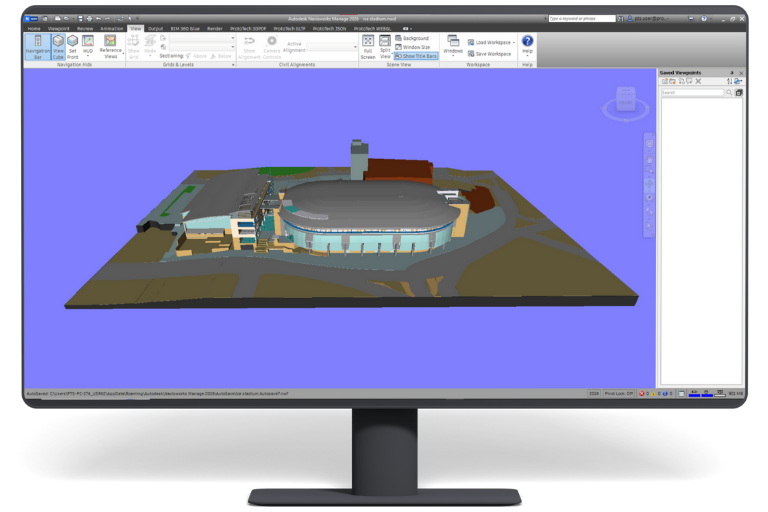
ProtoTech’s OBJ Exporter supports models opened in Autodesk Navisworks from NWD, NWF, and NWC files.
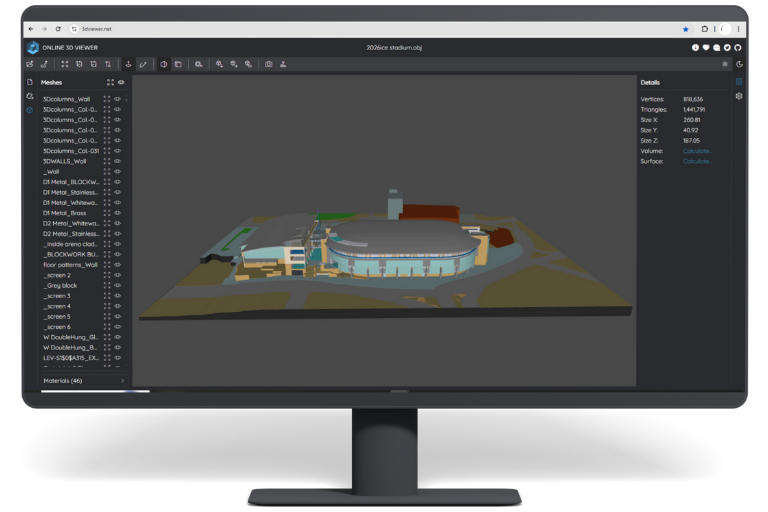
OBJ is useful for rendering, visualization, simulation, content creation, and workflows that do not directly support Navisworks files.
Yes. The exporter is designed to maintain precise 3D geometry while converting the model to OBJ.
Yes. The exporter supports model materials, textures, and colors during OBJ export.
Yes. The exporter supports color information to retain visual differences between model components.
Yes. Mesh-quality controls help balance geometric detail, export speed, and output file size.
Yes. Tessellation and quality settings can be adjusted to reduce file size while maintaining the required detail.
Yes. Rotate, swap, and flip options help align the OBJ model with the coordinate system used by the target application.
Yes. The exporter provides control over whether hidden entities are included.
Yes. The trial activates automatically after installation and includes 30 exports for 15 days, with no license key required.
ProtoTech’s OBJ Exporter is updated for the latest supported Autodesk Navisworks versions (2024–2027)
Yes. The plugin supports compatible Navisworks installations on Windows 10 and Windows 11.

We use cookies to improve your experience on our site. By using our site, you consent to cookies.
Manage your cookie preferences below:
Essential cookies enable basic functions and are necessary for the proper function of the website.
Google reCAPTCHA helps protect websites from spam and abuse by verifying user interactions through challenges.
Google Tag Manager simplifies the management of marketing tags on your website without code changes.
Statistics cookies collect information anonymously. This information helps us understand how visitors use our website.
Google Analytics is a powerful tool that tracks and analyzes website traffic for informed marketing decisions.
Service URL: policies.google.com (opens in a new window)
You can find more information in our Cookie Policy .
 Autodesk App Store