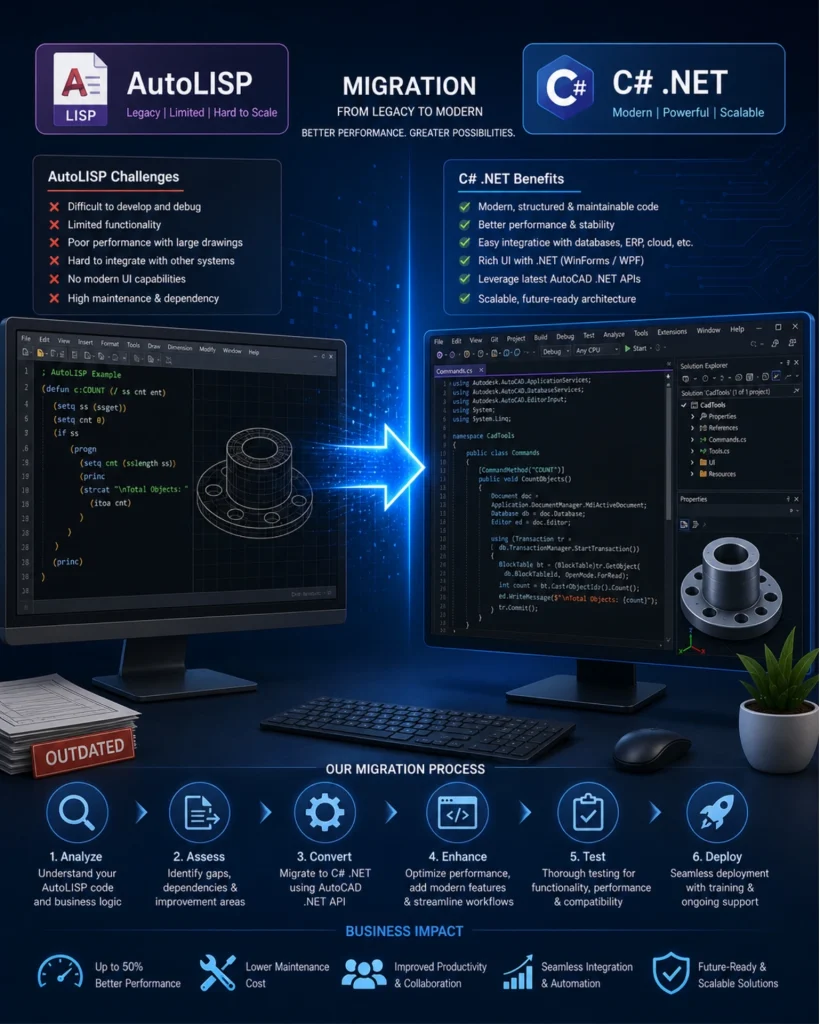
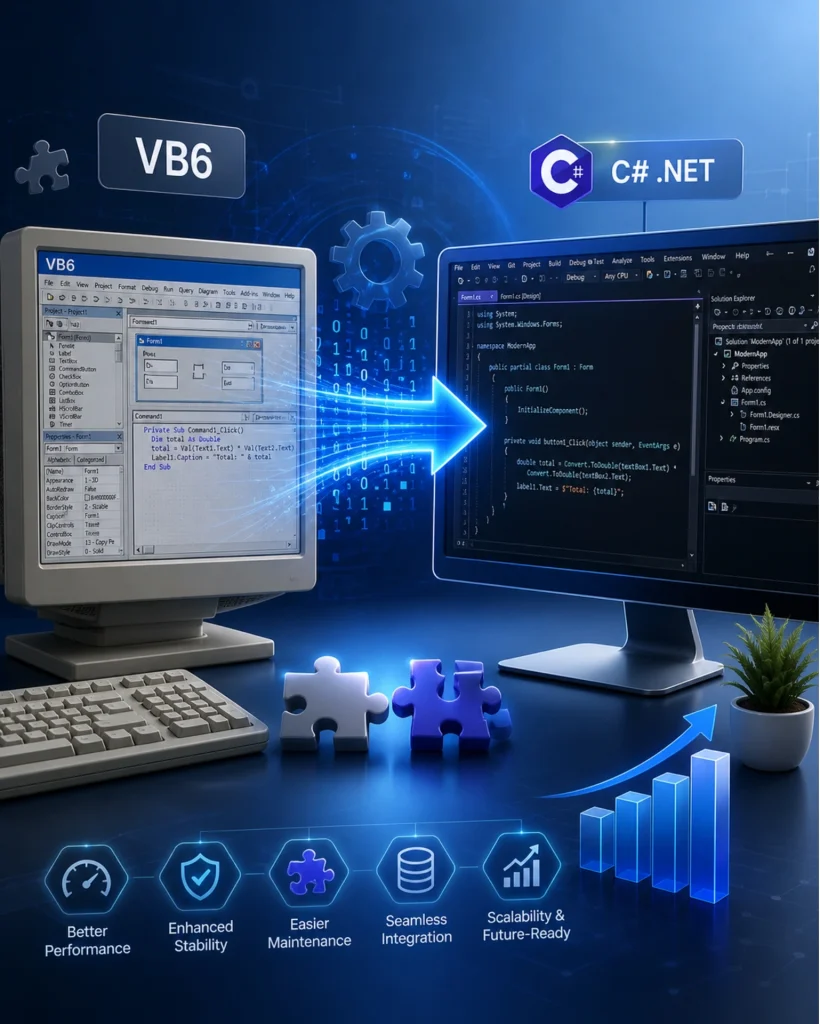
Is your perfectly working legacy CAD automation facing obsolescence? Many engineering teams and CAD professionals still rely on legacy AutoCAD applications built using VB6 or AutoLISP. While these solutions may have served well in the past, they often become a bottleneck in today’s fast-moving, integration-driven environment.
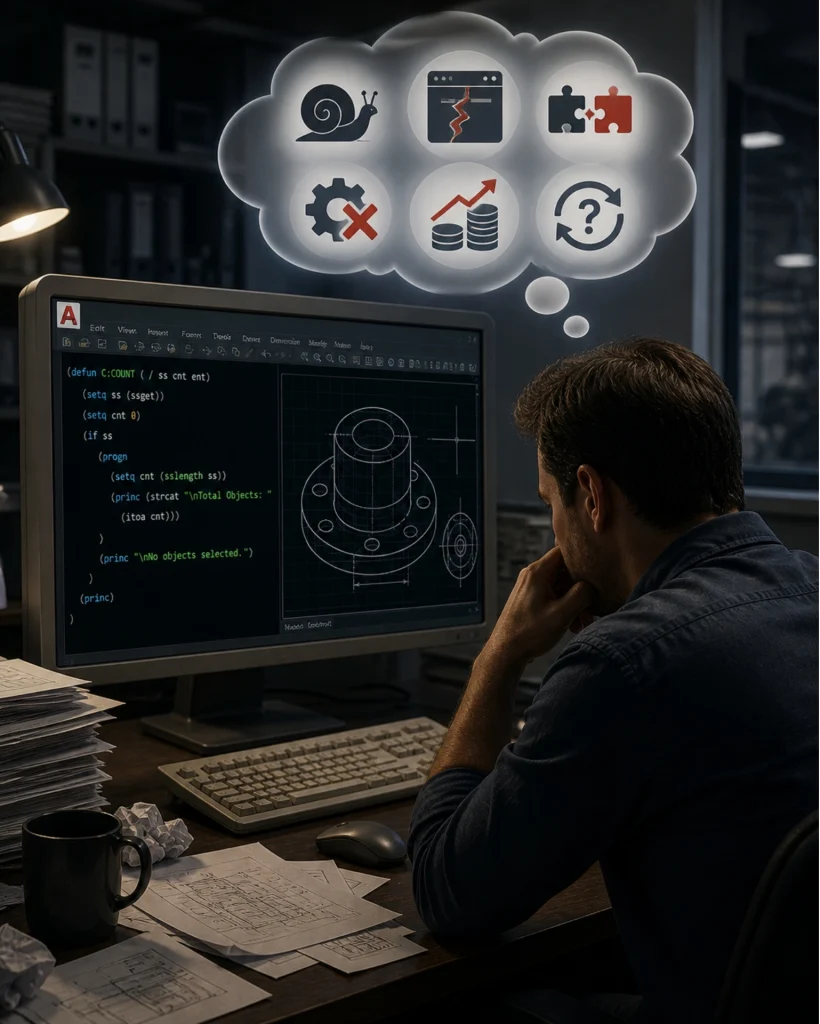
If your current AutoCAD workflows feel slow, difficult to maintain, or incompatible with modern systems, you’re not alone. Let’s break down the real challenges businesses face and how modernization to a C# .NET environment can transform your operations.
1. Performance Limitations Slowing Down Your Workflow
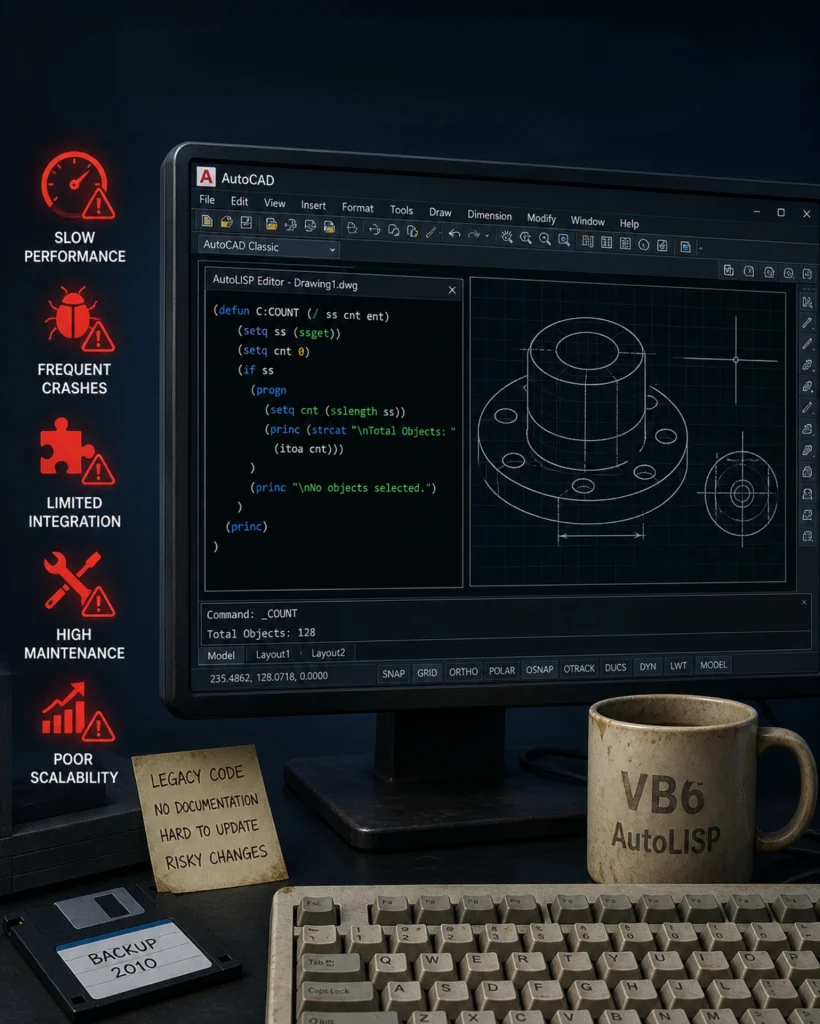
Older AutoCAD codebases are not optimized for modern hardware or large datasets. As projects grow more complex, users experience lag, crashes, and delays that directly impact productivity.
What this means for you:
Slower design cycles
Reduced team efficiency
Increased frustration for end users
2. Difficulty Maintaining and Updating Code
Technologies like VB6 and AutoLISP lack structured programming practices and modern debugging tools. Over time, even small updates become risky and time-consuming.
Common signs:
Fear of making changes in existing code
Lack of documentation
Dependency on a few individuals who understand the system
3. Limited Integration with Modern Systems
Today’s businesses rely on connected ecosystems—ERP, PLM, cloud platforms, and databases. Legacy AutoCAD applications struggle to integrate seamlessly with these systems.
Impact:
Manual data entry and duplication
Increased chances of errors
Lack of real-time data synchronization
4. Outdated User Experience
Legacy tools often lack intuitive interfaces, making them harder to use and slowing down onboarding for new team members.
Result:
Steeper learning curve
Lower adoption across teams
Inefficient workflows
5. Compatibility Issues with Latest Versions of platforms viz. AutoCAD or Windows
As hardware and software evolve, older scripts and plugins may stop working or get deprecated.
Risk:
Business disruption during upgrades
Increased maintenance cost
Unpredictable system behavior
Complete and sudden loss of support
6. Security vulnerabilities
Legacy systems were not built with modern security standards in mind. Older binaries and outdated dependencies can introduce serious vulnerabilities. Impact:
Conflicts with antivirus and security systems
Increased risk of malware or unauthorized access
Compliance and data protection concerns
Our Solution: From Legacy Complexity to Modern Efficiency
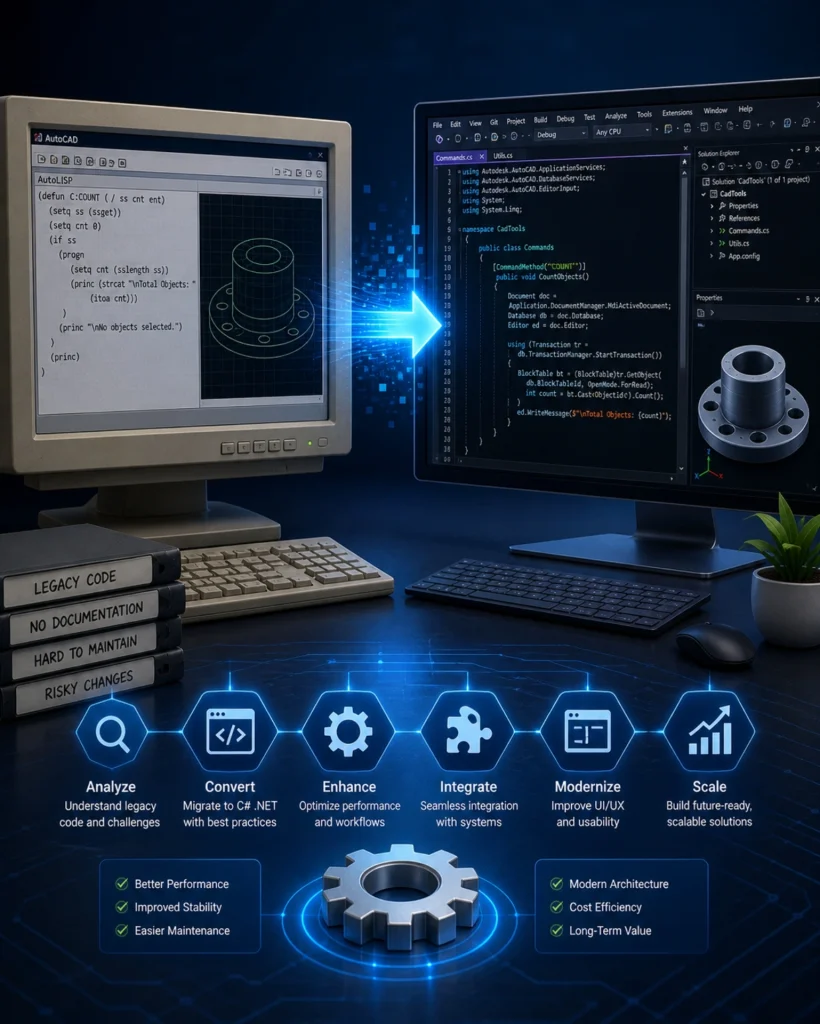
We don’t just convert code, we transform your AutoCAD ecosystem into a modern, scalable, and high-performing solution built on C# and .NET. We provide end-to-end migration services, ensuring minimal disruption and maximum value from your existing codebase.
1. Deep Code Analysis and Problem Identification
We begin by understanding your existing system in detail—its logic, dependencies, and limitations. This ensures nothing critical is lost during migration. What you gain:
Clear visibility into your current system
Identification of performance bottlenecks
A structured migration roadmap
2. Intelligent Migration to C# .NET
We convert your VB6 or AutoLISP code into clean, structured, and optimized C# applications using the AutoCAD .NET API. Key improvements:
Object-oriented architecture
Better performance and stability
Scalable and modular design
3. Workflow Optimization (Not Just Code Conversion)
Instead of simply replicating old processes, we enhance and streamline workflows using modern development practices. Outcome:
Faster execution of tasks
Reduced manual effort
Improved automation
4. Seamless Integration with Your Business Systems
We enable your AutoCAD applications to connect with databases, ERP systems, and cloud platforms. Benefits:
Real-time data flow
Elimination of duplicate work
Improved decision-making
5. Modern UI/UX for Better User Adoption
We redesign user interfaces using WinForms or WPF to create clean, intuitive, and user-friendly experiences. Impact:
Faster onboarding
Improved productivity
Better user satisfaction
6. Future-Ready and Scalable Architecture
Your upgraded solution is built to evolve with your business and technology changes. What this ensures:
Compatibility with future AutoCAD versions
Easier updates and enhancements
Long-term cost savings
7. Leverage New Features and Capabilities
Migrating to C# .NET allows you to take full advantage of the latest AutoCAD features and modern development capabilities that are not accessible in legacy environments. What you unlock:
Access to advanced AutoCAD .NET APIs
Improved automation and customization possibilities
Integration with modern technologies like cloud services and web APIs
Ability to build smarter, more intelligent design workflows
When Should You Consider Migration?
Not all legacy systems fail overnight. In most cases, the problems build gradually until they begin to affect productivity, project timelines, and overall business performance.
If your AutoCAD environment is showing any of the signs below, it’s not just a technical issue; it’s a business risk that needs attention.
Your AutoCAD tools are slow, unstable, or crash frequently
You rely heavily on VB6 or AutoLISP scripts that are hard to manage
Integration with other systems feels limited or manual
Maintenance is becoming costly, complex, and time-consuming
You are planning to upgrade the AutoCAD versions
Take the First Step Toward Modernization
At ProtoTech Solutions, our expert team helps you identify these hidden inefficiencies and turn them into opportunities for growth. We specialize in transforming outdated AutoCAD codebases into robust, future-ready solutions aligned with the latest AutoCAD APIs and Microsoft technologies.
Our migration services ensure a seamless transition to C# and .NET, enabling you to take full advantage of modern development frameworks, improved UI capabilities, and enhanced automation.
If your AutoCAD environment is slowing you down, now is the right time to act.
Real Business Impact You Can Expect
Migrating your AutoCAD applications to C# .NET provides a strong foundation for innovation and efficiency. After migrating to a C# .NET environment, organizations typically experience:
Up to 40–60% improvement in performance
Reduced maintenance time and cost
Higher accuracy with automated workflows
Improved team productivity and collaboration
Scalable systems ready for future growth
Connect easily with external systems, databases, and cloud services
Sarah W. Stocker
Co-Founder, Wearlynx, Inc.
"ProtoTech's team is very productive and responsive. Solid execution with a good balance of proactive problem-solving and smart, timely questions. We are happy to work with ProtoTech and would highly recommend them."
Torrin Raoufi-Danner
Ostensor AB
"ProtoTech Solutions has been an excellent development partner for us. Their prompt feedback and quick turnaround times have allowed us to scale quickly. We look forward to our continued cooperation with this talented group and wholeheartedly recommend ProtoTech for anyone looking for a professional and organized development team."
Jim Plymale
President & CEO, Machine Research Corporation
"ProtoTech is a first rate development partner for anyone working in the area of 3D modeling and related technology. Their expertise in 3D visualization, mobile app development and various CAD formats is unmatched. ProtoTech is very agile and determined to solve any problem we present them with. ProtoTech is much more than a contractor, they are a trusted partner and advisor to our business. They have always adjusted to our business requirements."
Rika Hatai
Core Concept Technologies ,Japan
"ProtoTech plays an important role as our extended Software R&D team and relationship with them has been highly beneficial. Technically competent, trustworthy and high-quality professional-grade off-site development partner for 3D visualization and CAD/engineering software related developments. Communication has been smooth with the off-site team with daily calls and status updates. We look forward to expanding our business with them and see them as our long-term partner in Japan."
Jonathan Girroir
Senior Director, Tech Soft 3D
"ProtoTech has a long-standing history of providing assistance to users of Tech Soft 3D SDKs. They possess a broad understanding of our distinct toolkits and the requirements of various 3D engineering industries that we collaboratively support. They are experts in 3D, and I would highly recommend their development services to software teams of all sizes."
Peter Schlipf
Sr Manager Autodesk Developer Network EMEA, Autodesk
"First of all congratulations to your brilliant team of experts at Prototech Solutions.It was my first meeting with your team and I was impressed with the large range of solutions and value you are adding to Autodesk software and web-services. We, at Autodesk, believe in the idea of a strong developer partner eco-system. Your newest mobile and cloud apps based on View & Data Visualisation and Autodesk® Fusion 360™ proof your early adoption of our cloud-services in your market."
Sylvia Zh
Dimension Plus Inc.
"It has always been a pleasure working with the ProtoTech team. Their exceptional ability to understand the requirements, the professionalism they embrace, their drive to perfection; altogether adds to the success of the mission. For our project, 'Autodesk Inventor - Product 3D Online Display System' - web server integration, ProtoTech's expertise in Web 3D Visualization and Inventor customization API’s, helped us with our target. Quickly getting tons of permutations of quayside cranes models and mechanical products, with simple changes to the parameters, made the job even easier. As a result, customers are able to quickly customize models as per the required specifications through the web interface and place the order."
Peter Saal
President, Skooter
"Working with ProTotech Solutions is- in every way- a great experience. From customer service, to deliverable, this company is outstanding. We cannot say enough about the quality of the work, the professionalism, the ability to understand complexity, and deliver a great solution. On top of that, they are really nice people to work with. We've worked with other developers around the world, but this is the only team that we look forward to working with again and again. We can't say enough about how great the ProtoTech team is."
Ravikant Kamal
Co-founder & CTO 3D Surgical
"ProtoTech went above and beyond our expectations! Their impressive technical expertise, proactive approach, and swift understanding of project requirements not only led to the project being completed well ahead of schedule but also allowed them to proactively address and resolve any potential challenges. As our trusted 3D partner, their flexibility and unwavering support throughout the entire journey were truly outstanding, resulting in a solution that has delighted our customers. We sincerely appreciate their exceptional teamwork and dedication!”
Robin Willis
Sunglass
"First of all let me say again, amazing work guys. I have been consistently impressed with your solutions, your speed at implementation and ability to improvise with our product and schedules."
Damian Rafferty
Pulse PLM
"We at Pulse Systems create value enhancing software solutions. For our Pulse PLM Suite, a leading product lifecycle management solution, we needed an expert team with 3D software development skills. ProtoTech Solutions turned out to be perfect partners for us. They helped us right from making technology decisions to design and implementation of our ideas. We are very happy with their talent and responsiveness and highly recommend them to anyone needing software development services."
VP
Operations, US based Inspection Software Solutions Company
"The ProtoTech team has done great work for us over the past few years. They are very responsive, excellent in communication, flexible, and take real ownership for the success of our projects. The team constantly strives to improve, and they are very open to adopt and even suggest new tools, design approaches, and coding best practices. I have managed several outsourced development partners in the past, and the ProtoTech team is by far the best I’ve worked with. I’m glad that ProtoTech is our development partner and would not hesitate to use them on future projects."
Dave Peel
President , Microvellum, Inc.
"ProtoTech is a first rate development partner for anyone working in the area of 3D modeling and related technology. Their expertise in 3D visualization is top notch. ProtoTech is much more than a contractor, they are a trusted partner and advisor to our business. I strongly recommend ProtoTech and feel fortunate to be their partner."
Dave Grupenhagen
DG Associates
"Prototech was referred to me. At first I was a little skeptical to be working with a team halfway around the world. But it didn’t take long to build a really effective working relationship with them. The development engineering team has been a pleasure to work with and the level of communication has been the key. They were able to produce a first release software package for me that simply works. I know when I come back for subsequent development, the team at Prototech will be ready. I can easily recommend ProtoTech for your software development. They are professional, personable, and knowledgeable and you can tell they want to do a great job."
Vikas Saxena
Head Software Developer, Renishaw Metrology Systems
"Our interaction with ProtoTech helped us in the areas of visualization to rapidly build a team with advanced 3D graphics programming ability."
Kausik Dasgupta,
R & D Manager ,Blast Movement Technologies
“ProtoTech was instrumental in delivering the 3D module of one of our key products. We especially appreciate the level of expertise of the developers, their understanding of the design requirements and the communication skills that they have displayed. BMT is very happy with the results."
Craig Dennis
CTO ,TransMagic Inc
"Thank you for doing such a great job - we're very excited about this new product and our Prototech team. We've got a winner here."
Jim Quanci
Sr. Director, Autodesk Developer Network
“ProtoTech is a long time skilled and committed Autodesk system integration partner. As an early adopter of Forge, ProtoTech is now a leader delivering Autodesk customers development services using Forge. Naming ProtoTech an Autodesk Forge Systems Integrator was an easy decision. They are a great partner delighting Autodesk customers with ground breaking web and mobile experiences delivering users insights into their design and engineering data - powered by Forge.”
Don Larson
CEO, Larson Software Technology
It has been an incredible experience working with the ProtoTech team. I am pleased we decided to work with them. I have seen consistent performance, both in terms of meeting and exceeding expectations. Their daily reporting and weekly sync-up meetings are very helpful keeping me in touch with progress. I have been impressed at how well the team at ProtoTech understands the problem; their flexibility, enthusiasm, are commendable, Thanks, guys for doing a great job!
David Little
Intergraph (United States)
"Professionally network team building materials without goal-oriented e-tailers. Collaboratively brand business portals through team building experiences. Completely target intuitive web-readiness vis-a-vis."
Henry Uyeme
CEO, Intrida
"We had presented a very challenging set of objectives requiring intricate engineering processes. This was expertly handled by ProtoTech Solutions, with a high degree of technology expertise, deep understanding of product requirements and excellent communications. This has naturally lead to a perfect partnership which we are very proud of. Many thanks to ProtoTech Solutions!"
Brad Strong
Technical Communications Director, TransMagic Inc.
"I want to take a moment to applaud the ProtoTech team for their outstanding problem-solving abilities. They are a true force of nature when it comes to tackling complex issues. Their dedication and expertise shine through, making them an invaluable asset to our team here at TransMagic. Their relentless pursuit of solutions, even amidst chaos, is a huge relief and a testament to their unwavering commitment. Working with ProtoTech is an honor. It's inspiring to witness such diligent and skillful collaboration on a shared goal, transcending cultural boundaries and spanning thousands of miles. It gives me a glimmer of hope for the human race when I see a team like yours working together with unwavering enthusiasm and a positive attitude. Thank you all for your dedication and the exceptional work you do every day."
Peter Saal
Product Manager, Trimble
"We are very impressed with the ProtoTech team's unprompted willingness to always ‘go the extra mile’. They did an outstanding job dealing with our application-specific challenges (multiface texture export, the export of polyline entities, model tree hierarchy, etc.), and optimizing large files down to very compact ones, reducing them in some cases by almost 70%. Their strong understanding of current development practices and professional attention to detail make them a dependable development partner. "
Ron Fritz
Tech Soft 3D , CEO
"Our relationship with ProtoTech has been highly beneficial to many ISV’s using TS3D components. By providing high-value development services to complement our rich components, the team at ProtoTech helps engineering ISV’s build better software, faster. Based on our experience we would recommend them highly as a services partner for any engineering software project."
Zoé Bezpalko,
Senior Sustainability Strategy Manager / Autodesk
"The new Makersite add-on for Fusion 360 is a game changer in enabling designers to make high-confidence decisions on CO2 and costs in real-time, by leveraging sustainability insights within Autodesk Fusion 360’s product design environment. Thanks to ProtoTech's expertise, we were able to implement this solution quickly and in a collaborative way with Makersite. The Makersite add-on for Fusion 360 is now available on the Autodesk App Store for users to download and apply to customers’ projects, so they can design cost-effective sustainable products at scale."
Client Feedbacks
Your Satisfaction is Our Top Priority
Let’s Solve Your AutoCAD Challenges
Your legacy system doesn’t have to hold you back. With the right approach, it can become a powerful, modern solution that drives efficiency and growth. Talk to our experts today and discover how we can help you transform your AutoCAD environment into a high-performance, future-ready system.
Q. Our current AutoCAD tools are slow and crash frequently. Can this be fixed?
Yes. These issues are common with legacy VB6 or AutoLISP systems. We migrate your application to a C# .NET environment, significantly improving performance, stability, and handling of large drawings.
Q. Our AutoLISP scripts are becoming difficult to manage. What can we do?
AutoLISP works well for simple tasks, but becomes hard to scale. We convert your scripts into structured C# .NET applications, making them easier to maintain, debug, and enhance.
Q. Will we lose our existing functionality during migration?
No. We carefully analyze and retain all critical business logic while improving performance and usability in the new environment.
Q. Our system does not integrate with other tools like ERP or databases. Can you help?
Yes. We enable seamless integration with external systems using modern .NET capabilities, allowing real-time data exchange and automation.
Q. Our current UI is outdated and difficult to use. Can it be improved?
Absolutely. We redesign the user interface using modern frameworks like WinForms or WPF to create a clean, intuitive, and efficient user experience.
Q. We don’t have documentation for our legacy code. Is migration still possible?
Yes. Our team performs detailed code analysis and reverse engineering to understand your system before starting the migration.
Q. Can you handle large and complex AutoCAD applications?
Yes. We have extensive experience working with complex systems and ensure optimized performance and scalability after migration.
Q. How long does a typical migration project take?
It depends on the complexity of your codebase. After initial analysis, we provide a clear timeline and roadmap tailored to your requirements.
Contains information related to marketing campaigns of the user. These are shared with Google AdWords / Google Ads when the Google Ads and Google Analytics accounts are linked together.
90 days
__utma
ID used to identify users and sessions
2 years after last activity
__utmt
Used to monitor number of Google Analytics server requests
10 minutes
__utmb
Used to distinguish new sessions and visits. This cookie is set when the GA.js javascript library is loaded and there is no existing __utmb cookie. The cookie is updated every time data is sent to the Google Analytics server.
30 minutes after last activity
__utmc
Used only with old Urchin versions of Google Analytics and not with GA.js. Was used to distinguish between new sessions and visits at the end of a session.
End of session (browser)
__utmz
Contains information about the traffic source or campaign that directed user to the website. The cookie is set when the GA.js javascript is loaded and updated when data is sent to the Google Anaytics server
6 months after last activity
__utmv
Contains custom information set by the web developer via the _setCustomVar method in Google Analytics. This cookie is updated every time new data is sent to the Google Analytics server.
2 years after last activity
__utmx
Used to determine whether a user is included in an A / B or Multivariate test.
18 months
_ga
ID used to identify users
2 years
_gali
Used by Google Analytics to determine which links on a page are being clicked
30 seconds
_ga_
ID used to identify users
2 years
_gid
ID used to identify users for 24 hours after last activity
24 hours
_gat
Used to monitor number of Google Analytics server requests when using Google Tag Manager
1 minute
You can find more information in our Cookie Policy .