Mac Compatibility: This plugin is not currently compatible with Mac OS.
Plugin Updates: All updates for the first year are free.
The plugin license is perpetual.
After the first year, if you need updates or support, you’ll need to purchase a renewal.
Automation License enables programmatic export via plugin API
Function can be called within the same host application
No user intervention or GUI required for export
Supports C++ or C# based integration
Standard input parameters drive automated export process
Seamless file export experience for end users
Output is generated directly for downstream workflows
sharing 3D designs across platforms
Features
Mesh Quality
Control to adjust mesh quality from preferences dialog.
Default Tessellation Quality
A default compression which helps to reduce the file size as much as possible.
Supports
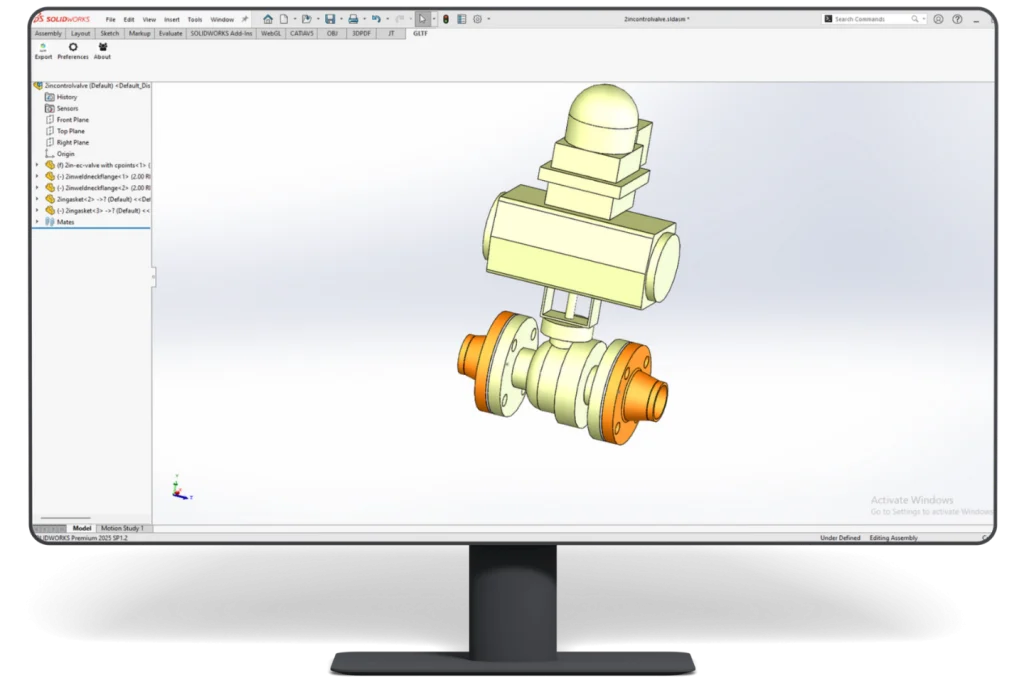
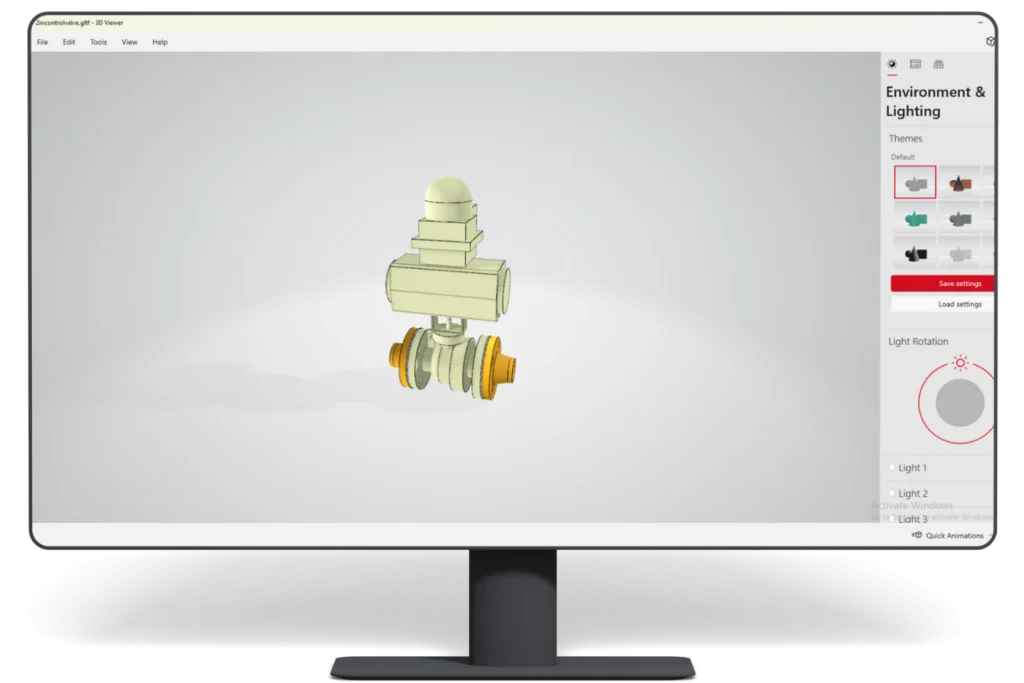
1. Both part and assembly models Export.
2. GLTF format 2.0.
3. Wire data.
Additional Features
1. Control the visibility of nodes.
2. Texture Metalness and roughness of the material.
3. Face level transparency.
4. A default compression helps reduce the file size as much as possible.
"High-quality drawings, 3D models, and fast interactive visualizations have become essential tools for communicating with customers. The plugin helped users quickly understand fan structures, installation methods, airflow paths, and application differences, making technical discussions clearer, faster, and far more efficient.
Our main objective was to convert existing SolidWorks models into GLB format so we could display interactive 3D models directly on our company website for customers to view in their browsers.
So far, we exported several models and shared them with our website developer. Overall, we were quite satisfied with the plugin.
It integrated smoothly with SolidWorks, and the interface was user-friendly, making the overall experience very smooth. The pricing structure—offering individual licenses for different export formats—was also very reasonable and flexible.
Previously, we were using another plugin to export SKP files before discovering this solution, which later became a key part of our workflow.
We believe this approach significantly improved customer engagement and product understanding."
"PRACTICA Y MUY BUENA PARA EL INTERCAMBIO DE INFORMACION EN CORTO TIEMPO Y ARCHIVOS PEQUEÑOS "
Sterling Smith
President & Principal, Interface for Consulting Engineers, P.A.
"Everything went well 🙂 I received what I wanted, it means .gltf file form Fusion360 3D model. I will surely recommend your software 👍"
Paul L. James
Design Source International
"I have worked in the field of Industrial and Architectural Design for 40 years, and have witnessed numerous 3d viewering applications come and go. The most encouraging was the export to interactive .pdf 3d formats allowing anyone with an Acrobat Viewer or .pdf viewer to interact with the design intent in an immersive way Support of these programs was often not good, and the cost was also prohibitive, but the people at ProtoTech Solutions have made this an attractive package as to price point, and their on going support has made it an integrated and highly functional part of our design process and for development to RPD output."
Alexander Machado
"Great Response time and resolution from the Prototech support team."
Anthony Hyde
New Mexico State University, U.S.A
"Thanks for your assistance- I appreciate it. Everything is working good and now I can show the cad-work I've I been doing to other people. You guys have been great to work with and helped me with all the issues that I came across. Thanks."
Trudi Fajri
Benmax, Australia
"It's great to use - just a different way to what I'm used to - much easier."
Will Wright
EAFab Corporation
"Great Plugin! Bridges the software gap between supplier and client."
Koen
R&D/Visualization, beMatrix
"ProtoTech has perfectly understand our needs. Results are as expected. Response time is very fast. Small changes or enhancements are perfectly implemented, sometimes even in a couple of hours. Thank you!"
Peter Schlipf
Sr Manager Autodesk Developer Network EMEA, Autodesk
"First of all congratulations to your brilliant team of experts at Prototech Solutions.It was my first meeting with your team and I was impressed with the large range of solutions and value you are adding to Autodesk software and web-services. We, at Autodesk, believe in the idea of a strong developer partner eco-system. Your newest mobile and cloud apps based on View & Data Visualisation and Autodesk® Fusion 360™ proof your early adoption of our cloud-services in your market."
What Our Customers Are Saying About Us
Get FREE Product Demo
Frequently Asked Questions
What SolidWorks file types does the GLTF Exporter support?
It supports SolidWorks part, assembly, and drawing documents, including .SLDPRT, .SLDASM, and .SLDDRW, within a supported SolidWorks installation.
Which SolidWorks versions support ProtoTech’s GLTF Exporter?
ProtoTech’s plugin is updated for the latest supported releases within SolidWorks versions 2023–2026.
Which operating systems are supported by ProtoTech’s GLTF Exporter for SolidWorks?
Yes. It is designed for supported SolidWorks installations on Windows 10 and Windows 11.
Is there a free trial for the SolidWorks GLTF Exporter?
Yes. The trial version is activated automatically after installation and includes 30 exports for 15 days. Does not require a license key for trial use.
Does the exporter support glTF 2.0?
Yes. ProtoTech’s exporter supports the glTF 2.0 format for modern web and real-time 3D workflows.
Can SolidWorks parts and assemblies be exported to glTF?
Yes. The exporter supports both part and assembly model workflows within supported SolidWorks versions.
Does glTF export preserve PBR material information?
The exporter can transfer supported material properties such as metalness, roughness, textures, colors, and transparency.
Can I control node visibility in the exported glTF model?
Yes. Node-visibility controls help decide which model elements remain visible in the exported asset.
Does the GLTF Exporter support face-level transparency?
Yes. Face-level transparency can be retained where the source model and export settings support it.
Can wire data be exported to glTF?
Yes. Wire-data export is supported for workflows that need line or wire representations alongside model geometry.
How can I reduce glTF or GLB file size?
Use appropriate tessellation quality, quantization, compression, mesh instancing, and node-merging options to optimize the asset.
Can exported GLB files be used in AR or VR applications?
Yes. GLB and glTF assets are commonly used in AR, VR, product visualization, and interactive 3D development pipelines.
Cookie Consent
We use cookies to improve your experience on our site. By using our site, you consent to cookies.
Contains information related to marketing campaigns of the user. These are shared with Google AdWords / Google Ads when the Google Ads and Google Analytics accounts are linked together.
90 days
__utma
ID used to identify users and sessions
2 years after last activity
__utmt
Used to monitor number of Google Analytics server requests
10 minutes
__utmb
Used to distinguish new sessions and visits. This cookie is set when the GA.js javascript library is loaded and there is no existing __utmb cookie. The cookie is updated every time data is sent to the Google Analytics server.
30 minutes after last activity
__utmc
Used only with old Urchin versions of Google Analytics and not with GA.js. Was used to distinguish between new sessions and visits at the end of a session.
End of session (browser)
__utmz
Contains information about the traffic source or campaign that directed user to the website. The cookie is set when the GA.js javascript is loaded and updated when data is sent to the Google Anaytics server
6 months after last activity
__utmv
Contains custom information set by the web developer via the _setCustomVar method in Google Analytics. This cookie is updated every time new data is sent to the Google Analytics server.
2 years after last activity
__utmx
Used to determine whether a user is included in an A / B or Multivariate test.
18 months
_ga
ID used to identify users
2 years
_gali
Used by Google Analytics to determine which links on a page are being clicked
30 seconds
_ga_
ID used to identify users
2 years
_gid
ID used to identify users for 24 hours after last activity
24 hours
_gat
Used to monitor number of Google Analytics server requests when using Google Tag Manager
1 minute
You can find more information in our Cookie Policy .