Mac Compatibility: This plugin is not currently compatible with Mac OS.
Plugin Updates: All updates for the first year are free.
The plugin license is perpetual.
After the first year, if you need updates or support, you’ll need to purchase a renewal.
"The ProtoTech's 3D PDF Exporter for Fusion plugin is very useful and helped us achieve our workflow requirements smoothly. The support team was responsive and provided the right guidance whenever needed. Their suggestions were spot on, helping us resolve the issues quickly, and we appreciate the excellent assistance provided."
John D. Ream
Retired Senior Engineering Consultant
"ProtoTech has been very responsive regarding support of their 3D PDF Exporter for Fusion. Installing and using 3D PDF Exporter from the Fusion menu was very easy, and there are many options in the Preference settings for fine-tuning the exported model. I look forward to working with ProtoTech and using their software in the future."
Vincent Raquin
Design and Industrialization Consulting Engineer, Nove3D
"Thank you for your support. Very professional."
Jeffrey D
"I started using Fusion for Manufacturing but For using Fusion for a more AR / VR / Unreal engine type work flow / non CAD / CAM Manufacutring style (while still getting that CAD modeling style I love and know vs Blender workflow) OBJ Exporter works great and saves me time as opposed to the built in cloud obj export on Fusion (which never seems to export the texures / components right). It also allows me to export textures and component parts, it seems that it seperates the components based on material + lots of options which is most important. The company worked with me to get the plugin working when it stopped and is highly receptive to feedback / answers quickly. Highly recommend it! I can now quickly export a model as an OBJ with mtl file and upload it to places like Sketchfab effortlessly and share my models with people... I like it... Also if you want to create visualizations of your products to share to customers on websites like Shopify ect... having a good OBJ helps! The only thing I wish is a little bit better could be texture editing / texture features (but that is because Fusion is limited with texutring tools in general) This plugin does have a texture export feature I see... I need to learn all the UV unwrapping texture stuff... this exports the colors in the .mtl which for now is perfect and simple for me... but I have seen some people make models with like Substance painter / complex bump map textures that exports the image file as an unwrapped thing... this is great for basic color textures / all I need for now for a real quick tool to create basic 3d models in OBJ. So far I am loving it."
Tomu Nakano
"Very convenient and stable operation. The customer support was also kindly. I'm looking forward to updates."
Marcello Magnani
Brand manager & Chief designer, Skylink Engineering sas
"Transforming our Fusion 360 3D drawings into PDFs became a breeze with ProtoTech's '3D PDF' exporter for Fusion 360 plug-in. The competitive pricing, along with quick and satisfactory assistance, made the process seamless. The added bonus of free updates for 1 year is a fantastic feature."
Thomas Vilz
"Works finge, stabile snd fast. Do exactly and perfect his Job ."
Dirk Meyer
Interface for Consulting Engineers
"I have been using the 3D PDF Exporter For Fusion360 for two years and am very satisfied. The programme is very easy to use and creates accurate 3D PDF files. The renewal of my licence worked perfectly and all messages were answered promptly. Very good service and keep it up..."
Davide Medei
Project Eng., Polimpianti srl
"Easy to use and creates PDFs exactly how I want them. ProtoTech also has an excellent support service that responds quickly and helps resolve problems. In my case, a file related to the license was corrupted but they resolved it quickly."
Marcel Straßburg,
RH Industrieservice & Antriebstechnik GmbH & Co. KG
"I checked your preview and am very happy about the results in this short time, you have redesigned. I am surprised and glad to see, my feedback gets a serious effect on further developing your plugin immediately. This is an improvement, absolutely. Congratulations to you and your team, you rock"
Luc Brandt
Owens Corning (Corning Glass Works), Belgium
"I installed the 3D pdf plugin for Fusion 360 for trial and got immediately good results. I really like the ease of installation, the seamless integration and the parametric export options of this easy to use Plug-in! Furthermore, while trying to activate the license, I got a little issue linked to our internal corporate firewall settings. The extremely quick support from the ProtoTech Solutions customer team via their online chat system helped me to find resolution with clear and very effective guidance (literally within seconds !!!) ... Thank you a lot and ...keep up the good quality work!"
Alexander Machado
"Great Response time and resolution from the Prototech support team."
Kenji Masumoto
Technical consultant, PMT CORPORATION, Japan
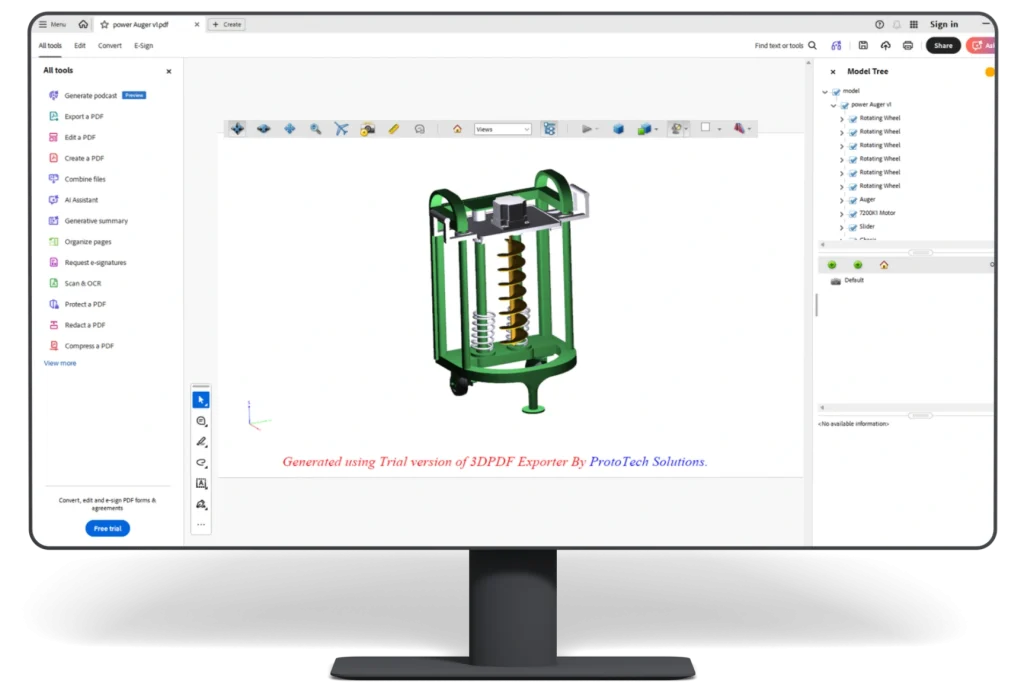
"ProtoTech's 3D PDF Exporter for Fusion 360 plug-in provides an easy-to-understand way of viewing 3D drawings for colleagues and customers who don't have access to 3D CAD software or viewers, as everyone has a PDF reader. It's a fantastic plug-in, and I'm grateful for it."
Dirk Meyer
Interface for Consulting Engineers, P.A.
"I have been using the 3D PDF Exporter For Fusion360 for two years and am very satisfied. The program is very easy to use and creates accurate 3D PDF files. The renewal of my license worked perfectly and all messages were answered promptly. Very good service and keep it up.."
Michael Williams
Mélange
"A 3D PDF is what you need to easily share 3D models with clients that don't have access to 3D software. This software offers you an easy solution to export 3D PDF's from Fusion 360!"
Marcello Magnani
Brand manager & Chief Designer, Skylink Engineering sas
"Transforming our Fusion 360 3D drawings into PDFs became a breeze with ProtoTech's '3D PDF' exporter for Fusion 360 plug-in. The competitive pricing, along with quick and satisfactory assistance, made the process seamless. The added bonus of free updates for 1 year is a fantastic feature. I highly recommend ProtoTech for its reliable solutions and excellent support."
Roland Valentin Hannak
Solutec Lackiertechnik GmbH (Germany)
"We routinely need to share 3D models with our customers, and ProtoTech's 3D PDF Converter for Fusion is the best tool we've found so far! Most of our customers don't have any access to 3D software; in this case, a 3D PDF is the best way to show them the designs we created!"
Anthony Hyde
New Mexico State University, U.S.A
"Thanks for your assistance- I appreciate it. Everything is working good and now I can show the cad-work I've I been doing to other people. You guys have been great to work with and helped me with all the issues that I came across. Thanks."
Rich Chatelain
Retired CEO, Precision Swiss Products (USA)
"ProtoTech - First off, your support was outstanding with my problem. The information and steps helped straighten out my issue. Thank you for developing such an awesome plugin - 3D PDF Exporter for Fusion 360!!"
David Preston
Retired Boeing Engineer, Boeing
"I have been learning Autodesk Fusion 360 to support my desire to 3D print – and wanted a way to share CAD files with others – I found ProtoTech Solutions 3D PDF Exporter to work fantastically, and also their 3D PDF viewer for my Android works great. However, even better than how well the products work, their customer service was fantastic, as they responded to multiple questions I had daily !! I would not hesitate to recommend this to anyone."
What Our Customers Are Saying About Us
Get FREE Product Demo
Frequently Asked Questions
Which operating systems are supported by ProtoTech’s 3D PDF Exporter for Autodesk Fusion?
ProtoTech’s 3D PDF Exporter for Autodesk Fusion is compatible with Windows 10 and Windows 11.
How many exports are included in the free trial of 3D PDF Exporter for Fusion?
The free trial includes 30 exports for 15 days after installation, making it easy to test 3D PDF export quality before purchase.
Do I need a license key to use the free trial of 3D PDF Exporter for Fusion?
No. The trial version is activated automatically after installation and does not require a separate license key.
Can I convert Fusion .f3d/.f3z files to 3D PDF using ProtoTech's 3D PDF Exporter?
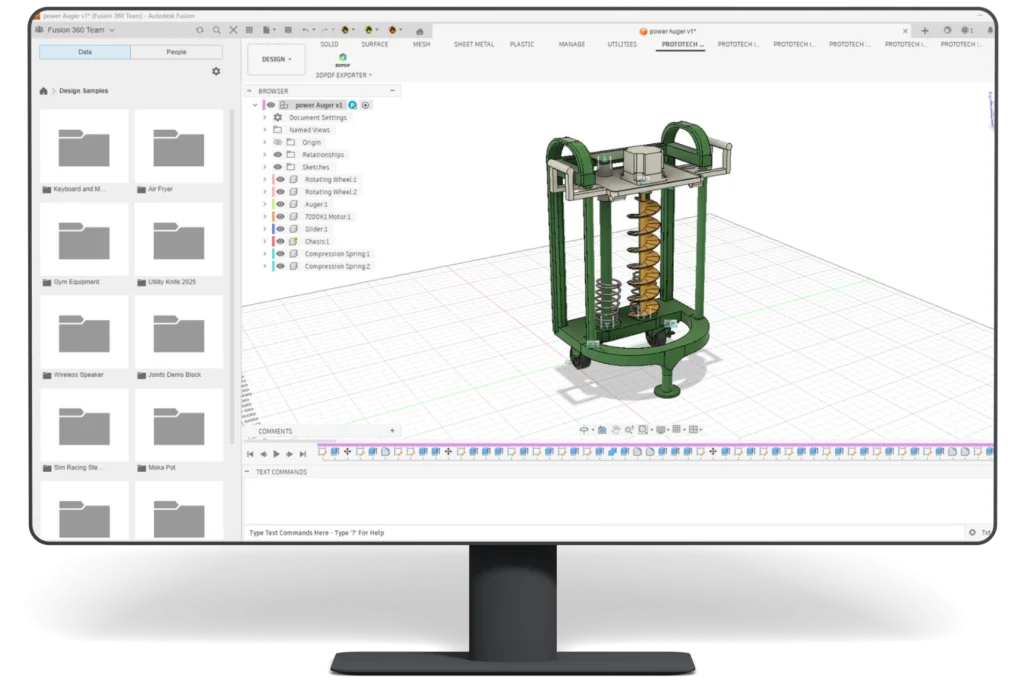
Yes. 3D PDF Exporter is designed to export Autodesk Fusion design files such as .f3d/.f3z into 3D PDF (.pdf) output.
Does 3D PDF Exporter help with CAD interoperability?
Yes. Exporting Fusion models to 3D PDF (.pdf) helps teams move 3D design data into compatible tools, viewers, or downstream workflows.
Can ProtoTech's 3D PDF Exporter for Fusion support manufacturing or product development workflows?
Yes. It helps product and manufacturing teams share Fusion geometry in 3D PDF format for review, exchange, visualization, or collaboration.
Cookie Consent
We use cookies to improve your experience on our site. By using our site, you consent to cookies.
Contains information related to marketing campaigns of the user. These are shared with Google AdWords / Google Ads when the Google Ads and Google Analytics accounts are linked together.
90 days
__utma
ID used to identify users and sessions
2 years after last activity
__utmt
Used to monitor number of Google Analytics server requests
10 minutes
__utmb
Used to distinguish new sessions and visits. This cookie is set when the GA.js javascript library is loaded and there is no existing __utmb cookie. The cookie is updated every time data is sent to the Google Analytics server.
30 minutes after last activity
__utmc
Used only with old Urchin versions of Google Analytics and not with GA.js. Was used to distinguish between new sessions and visits at the end of a session.
End of session (browser)
__utmz
Contains information about the traffic source or campaign that directed user to the website. The cookie is set when the GA.js javascript is loaded and updated when data is sent to the Google Anaytics server
6 months after last activity
__utmv
Contains custom information set by the web developer via the _setCustomVar method in Google Analytics. This cookie is updated every time new data is sent to the Google Analytics server.
2 years after last activity
__utmx
Used to determine whether a user is included in an A / B or Multivariate test.
18 months
_ga
ID used to identify users
2 years
_gali
Used by Google Analytics to determine which links on a page are being clicked
30 seconds
_ga_
ID used to identify users
2 years
_gid
ID used to identify users for 24 hours after last activity
24 hours
_gat
Used to monitor number of Google Analytics server requests when using Google Tag Manager
1 minute
You can find more information in our Cookie Policy .


















 Autodesk App Store
