

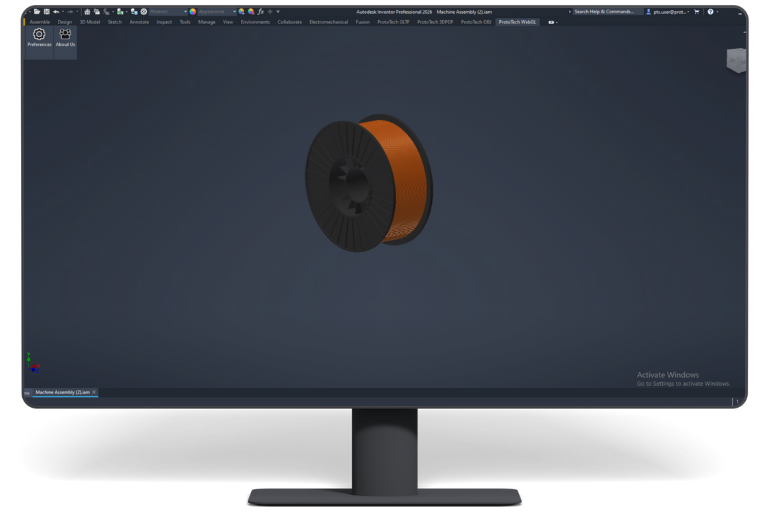
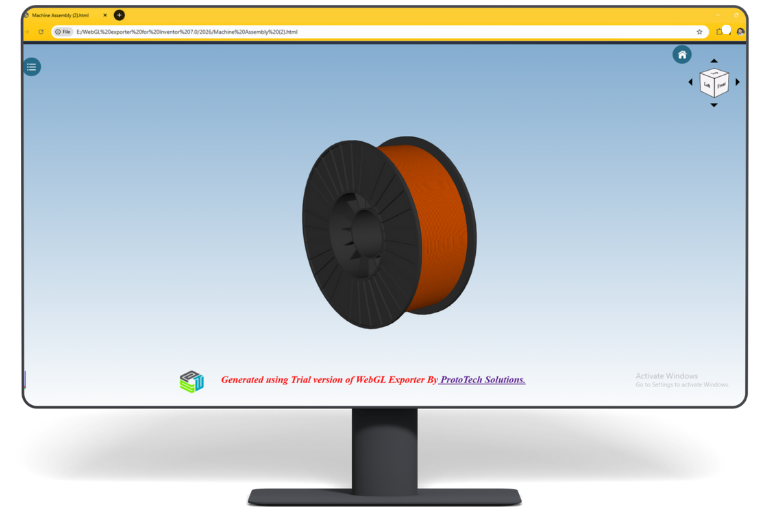

WebGL Exporter
for Inventor
Compatibility
- Operating System: Windows 10 and Windows 11 Only.
- Platforms: Inventor versions 2023–2026.
Note
- Mac Compatibility: This plugin is not currently compatible with Mac OS.
- Plugin Updates: All updates for the first year are free. The plugin license is perpetual, but if it stops working after the first year and you need updates or support, you’ll need to purchase a renewal.
Our Plugins are also Available on Autodesk Store
Having trouble with your CAD plugin?
Trial
Trial
- Free trial of 30 exports for 15 days is available.
- License key is not required for a free trial.
- Full-featured trial version is available.
Single Machine
Single Machine Locked License
- Single license can be activated on one machine.
- This license can not be released/moved on other machine.
- If machine/hardware (e.g motherboard, processor etc.) is changed then standalone license won’t work. User need to purchase new license.
Two Machine
$260
Two Machine Locked License, by the Same User
- Two licenses will be provided and can be activated on two different machines at a time, by the same user
- This license can not be released/moved on other machine.
- If machine/hardware (e.g motherboard, processor etc.) is changed then standalone license won’t work. User need to purchase new license.
Single Floating
Single Floating License
- One license can be used on multiple machines. But on one machine at a time.
- User can release license from one machine and activate on another machine. User will always need internet connection during release and activation.
- To change hardware: User can release license from current machine and then activate same license on same machine after changing hardware.
Automation
Automation Licence
- Automation License enables programmatic export via plugin API
- Function can be called within the same host application
- No user intervention or GUI required for export
- Supports C++ or C# based integration
- Standard input parameters drive automated export process
- Seamless file export experience for end users
- Output is generated directly for downstream workflows
- Standard input parameters drive automated export process
Features
Mesh Quality
Control to adjust mesh quality from preferences dialog.
Export Annotation
Model annotations are exported into PDF.
Texture Support
Exports tessellated model data along with texture information.
Additional Features
1. Default compression helps to reduce the file.
2. Export 3D Data in template.
Additional
Info.
WebGL Exporter for Inventor Version History
- Added support for the Inventor 2027 version.
- Updated the About Us dialog
- Extended the trial duration to 15 days and the export count to 30.
Enhancement:
- Added support for Inventor 2026.
Enhancement:
- Added support for Inventor 2025.
Enhancement:
- Added the VR support.
- World Axes.
- Error Report.
- Watermark.
- Clipping planes.
- Implode/Explode.
- Shades.
Enhancement:
- Provided support for Inventor 2023.
Enhancement:
- Fixed license issue
Enhancement:
- Modified UI.
Fixed:
- Export fail issue when plugin is used on Inventor with languages other than English.
Enhancement:
- Smart update functionality
- Added option to export hidden entities
- Added support to Autodesk® Inventor® 2021
Fixed:
- Issues in license mechanism.
Enhancement:
- Upgraded licensing system.
Fixed:
- Model tree was getting broken sometimes.
Fixed:
- Incorrect model tree for some part files.
Fixed:
- Positions of some parts were incorrect in HTML file Exported from Inventor 2014.
Enhancement:
- Added support for Autodesk Inventor 2019.
Enhancement:
- WebGL file was exported with incorrect initial camera position in some cases.
Enhancement:
- Improved the user interface of navigation control, browser tree control and help text control.
Enhancement:
- Allow the user to set Preferences and export solids, surfaces and sketches.
- Updated technical support contact details.
Enhancement:
- Supported instancing to reduce the export time and file size.
Fixed:
- Assemblies with same part names are now properly supported in the assembly tree.
Enhancement:
- Inventor 2017 is now supported.
- Improved texture support (Added Texture Scaling).
Please Note: Height and width of texture image should be in power of two (2, 4, 8, 16, 32, 64, 128, 256, 512....) in term of pixels, else tiling of the image will not work. This is a limitation of WebGL.
Feature:
- Supports HTML templates. WebGL models will get automatically embedded in the selected template.
- Improved texture support (Added Texture Scaling).
- Export Surfaces.
- Export Mirror objects.
Enhancement:
- Export background color (solid, gradient and image). This brings the exported model to almost WYSWYG!
- You can now export selected entities(Bodies from the part file and parts from assembly file). Can be a huge time saver!
- The model tree can now be optionally exported to WebGL. It will appear in a tree view form on an overlaid window.
- You can now control the quality and size of the exported WebGL model. New export option added - Preferences ->Facet Tolerance.
Enhancement:
- Greatly simplified license activation process
Please note: Existing customers who have already activated the product will have to contact our support to request for a key for reactivation after installing this update.
Enhancement:
- Fixed issue with license activation.
Enhancement:
- Supported Inventor version 2016.
Enhancement:
- User who has different local settings (e.g. comma character as the decimal separator) can now export valid HTML files.
Enhancement:
- Compatible with Autodesk® Inventor® 2015.
- The trial period has changed from 6 months to 5 times.
Enhancement:
- Supports exporting Solid bodies.
- Supports exporting wired bodies.
- Supports textures and materials
- Supports face level colors and body level colors.
License Upgrade
Education Discount Enquiry
What Our Customers Are Saying About Us
Get FREE Product Trial
Cookie Consent
We use cookies to improve your experience on our site. By using our site, you consent to cookies.
Cookie Preferences
Manage your cookie preferences below:
Essential cookies enable basic functions and are necessary for the proper function of the website.
Google reCAPTCHA helps protect websites from spam and abuse by verifying user interactions through challenges.
Google Tag Manager simplifies the management of marketing tags on your website without code changes.
Statistics cookies collect information anonymously. This information helps us understand how visitors use our website.
Google Analytics is a powerful tool that tracks and analyzes website traffic for informed marketing decisions.
Service URL: policies.google.com (opens in a new window)
You can find more information in our Cookie Policy .
